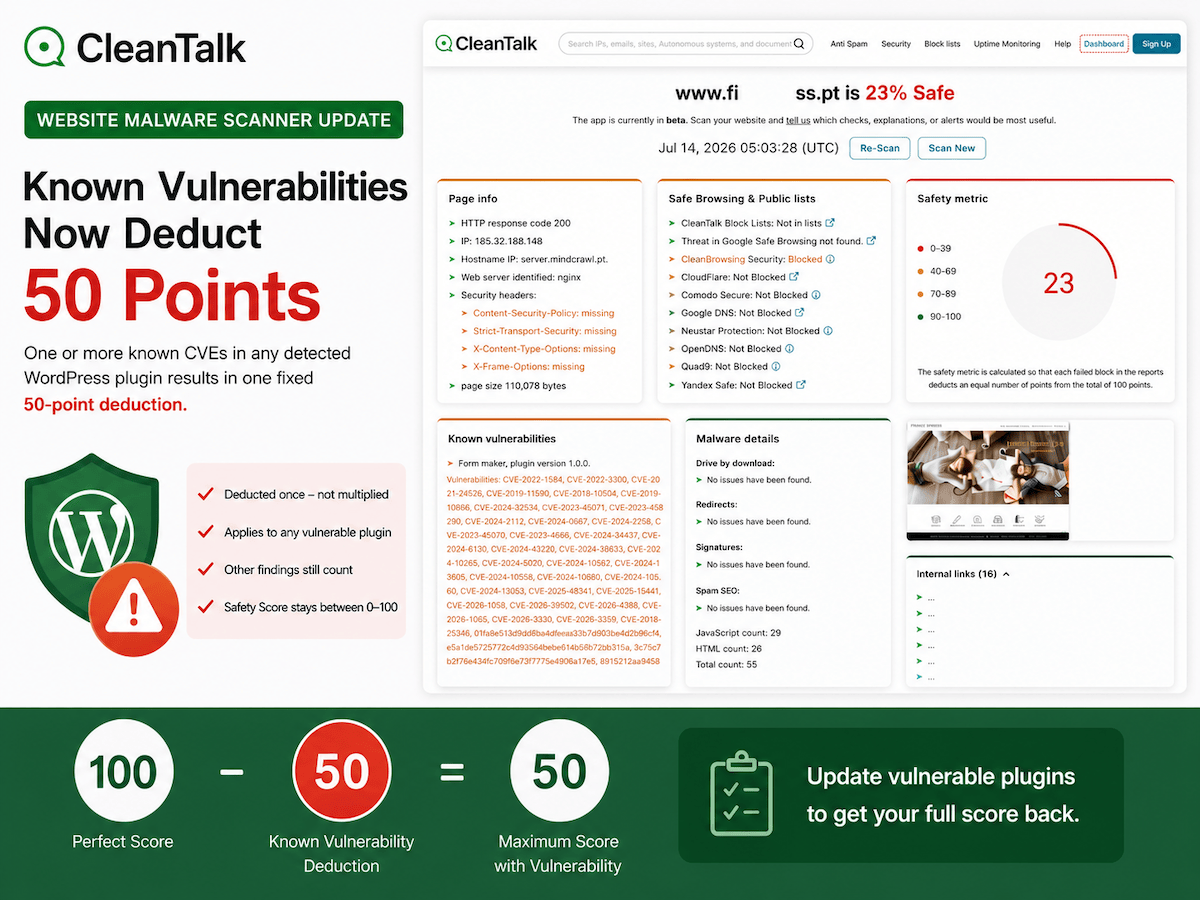
CleanTalk is updating the Website Malware Scanner scoring model to make known WordPress plugin vulnerabilities impossible to overlook. When the scanner detects at least one CVE that affects the installed version of a plugin, the Known vulnerabilities check will deduct 50 points from the website Safety Score. The updated scoring rule will take effect on July 27, 2026.
The purpose is simple. A known vulnerability is still a vulnerability, even when its severity is low, exploitation requires a logged-in account, or the site has many other checks that pass. Severity helps administrators decide which update to install first. It should not make an affected plugin disappear inside a high overall score.
The New Rule in One Sentence
Starting July 27, 2026, one or more known CVEs in any detected WordPress plugin will result in one fixed 50-point deduction.
- The deduction is applied once to the Known vulnerabilities check.
- One CVE and one hundred CVEs both trigger the same 50-point deduction.
- Several vulnerable plugins do not multiply the deduction beyond 50 points.
- Other scanner findings continue to deduct their own points independently.
- The Safety Score remains between 0 and 100.
A website with a perfect 100-point starting position and one vulnerable plugin can therefore score no more than 50. If the same report also contains malware signatures, SEO spam, unsafe redirects, repository exposure, SSL problems, or other findings, those deductions continue to accumulate and can reduce the final result below 50.
Why Any Known CVE Matters
A CVE is a public record that connects a vulnerability to affected software and versions. Once that information is public, defenders can use it to update software, but attackers can also use it to identify targets. A site owner may not know that an installed plugin is outdated until a scanner compares the detected version with known affected ranges.
Not every CVE leads directly to complete website compromise. Some require a Subscriber, Contributor, Author, or Administrator account. Some need user interaction. Others expose only a limited action. Those differences are important during remediation, but they do not turn a known vulnerable version into a safe version.
A fixed 50-point signal keeps the message clear for non-specialists. The site has a known vulnerable component and needs attention. The fastest safe response is usually to update to a fixed release, test the site, and run a new scan. If no fixed release exists, the affected plugin should be disabled, replaced, or isolated until the vendor provides a correction.
How the Scoring Works
- The scanner identifies WordPress and the installed plugin versions that are visible to the check.
- Detected versions are compared with known vulnerable version ranges.
- If at least one CVE affects at least one installed plugin, the Known vulnerabilities check contributes a 50-point deduction.
- All other report deductions are calculated as usual.
- The total deduction is capped at 100, so the final Safety Score cannot fall below 0.
For example, a report with no other findings changes from 100 to 50 after a vulnerable plugin is detected. A report that already has 12 points of other deductions changes from 88 to 38. A report with 70 points of other deductions reaches 0 because the combined 120-point deduction is capped at 100.
Why the Deduction Is Fixed Instead of Multiplied
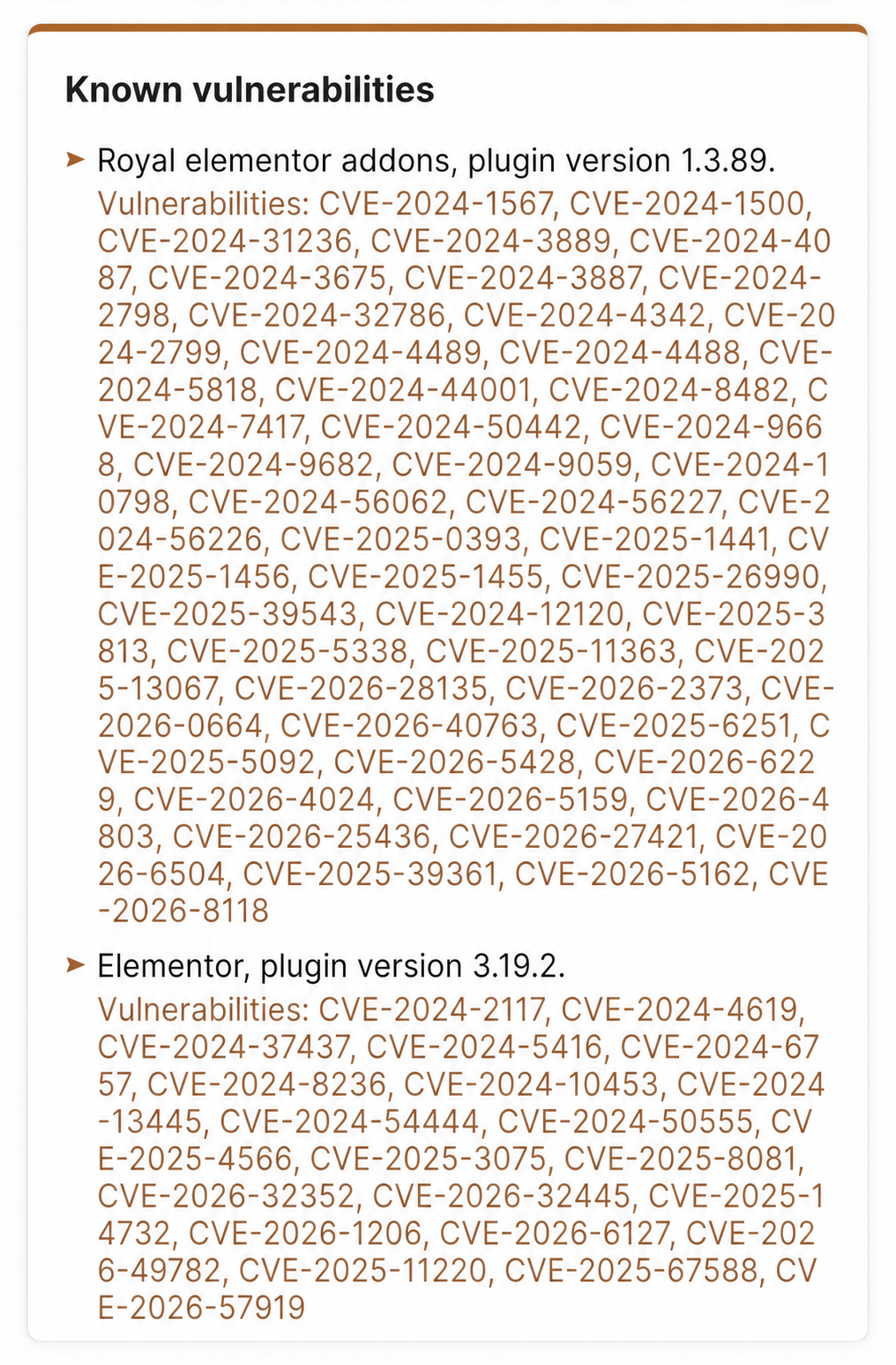
A plugin can accumulate a long historical list of CVEs across several releases. Another plugin may have one newly disclosed CVE. Multiplying points by every CVE would make the score depend heavily on catalog history and could push a report to zero before other important checks are considered.
The fixed deduction avoids that distortion while preserving a strong product decision. Any affected plugin removes half of the maximum score, but a long CVE list does not receive hundreds of repeated penalties. The number of CVEs, affected plugins, and severity labels remain visible in the report for remediation planning.
WordPress Vulnerability Discovery Is Accelerating
The WordPress ecosystem is receiving vulnerability disclosures at a pace measured in hundreds per week. Wordfence reported 267 disclosed vulnerabilities for the week of July 6 through July 12, 2026. Its Q1 2026 report counted 2,738 vulnerabilities, which is about 211 per week across the quarter.
These figures do not mean that every WordPress site receives hundreds of new risks each week. They show how quickly vulnerability intelligence changes across plugins and themes. A site that looked current last month may need a different update decision today.
AI-assisted security research is also expanding the amount of open source code that can be reviewed. OpenAI Codex Security identifies, validates, and proposes remediation for vulnerabilities in connected repositories. Anthropic has also published a coordinated vulnerability disclosure dashboard for findings produced through AI-assisted analysis and human review. These tools do not replace validation or responsible disclosure. They increase the need for plugin vendors, researchers, and site owners to process security findings quickly.
CleanTalk Security Research and Responsible Disclosure
CleanTalk contributes to WordPress security through vulnerability research, vendor coordination, proof-of-concept validation, and public reporting after responsible disclosure. The CleanTalk Security Research team has surpassed 500 CVE discoveries across its work. The CleanTalk CVE research archive collects published WordPress vulnerability articles, technical analysis, proof-of-concept validation, and remediation guidance from the research team.
The objective is not only to identify vulnerable code. A useful disclosure gives the plugin developer enough detail to reproduce the issue, prepare a fix, and protect users. Publishing the final research record then gives administrators a practical reason to update the affected version.
What Plugin Security Certification Means
Plugin Security Certification, or PSC, is CleanTalk’s security review program for WordPress plugin releases. The process includes source review and testing for vulnerability classes such as SQL injection, cross-site scripting, CSRF, authentication bypass, privilege escalation, unauthorized file access, data leakage, insecure dependencies, and code execution.
The plugin developer receives a report, fixes confirmed problems, and receives a certificate after the reviewed release satisfies the program requirements. Certification applies to a specific release. Continued certification requires new releases to be reviewed, because secure software maintenance is an ongoing process rather than a one-time badge.
PSC Certified Plugins Inside Security by CleanTalk
Security by CleanTalk version 2.184 introduced the Security Certified tab in WordPress. It brings PSC-reviewed plugin releases into the normal administrator workflow, so site owners can check certified options during daily plugin maintenance instead of comparing separate lists manually.
The tab is available under WordPress Console > Settings > Security by CleanTalk > Security Certified. The feature, its current workflow, and the latest interface notes are described in A New Way to Choose Safe WordPress Plugins.
What Site Owners Should Do in OMS
OMS is an external scanner. It detects vulnerable plugin versions and reports the associated CVEs, but it does not install plugin updates. Remediation takes place through the website’s WordPress administration or deployment workflow. OMS then verifies the result with a new scan.
- Open the latest OMS report and locate the Known vulnerabilities block.
- Review the detected plugin name, installed version, and linked CVE records.
- Update the affected plugin to a fixed release through WordPress or the site’s normal deployment process. If no fixed release exists, disable, remove, or replace the plugin.
- After the corrected version is live, return to the OMS report and select Re-Scan.
- Confirm that OMS no longer matches the installed plugin version to a known vulnerable range. The 50-point deduction is removed when the Known vulnerabilities check no longer detects an affected version.
- Continue through the other OMS report blocks because malware, SEO spam, unsafe redirects, HTTPS issues, repository exposure, and public-list warnings are scored independently.
Common Questions
Does a low-severity CVE still deduct 50 points?
Yes. Severity remains useful for update priority, but the scoring rule is based on the presence of a known CVE in the installed plugin version.
Do ten CVEs deduct 500 points?
No. The Known vulnerabilities check deducts 50 points once, regardless of the number of CVEs or vulnerable plugins in the report.
Can the final score be lower than 50?
Yes. Other findings keep their existing deductions. A vulnerable plugin plus malware, SEO spam, unsafe redirects, public-list warnings, SSL problems, or exposed files can reduce the result further.
How can the 50 points be recovered?
The affected plugin must be updated, disabled, or replaced so the next scan no longer matches an installed version to a known vulnerable range.
Key Takeaways
- Any known WordPress plugin CVE now creates a clear 50-point Safety Score deduction.
- The deduction is fixed and is not multiplied by the number of CVEs or affected plugins.
- Other security findings continue to reduce the score independently.
- Frequent plugin updates and rescans are the fastest way to remove known vulnerable versions.
- PSC and the Security Certified tab help administrators choose plugin releases that have received dedicated security review.