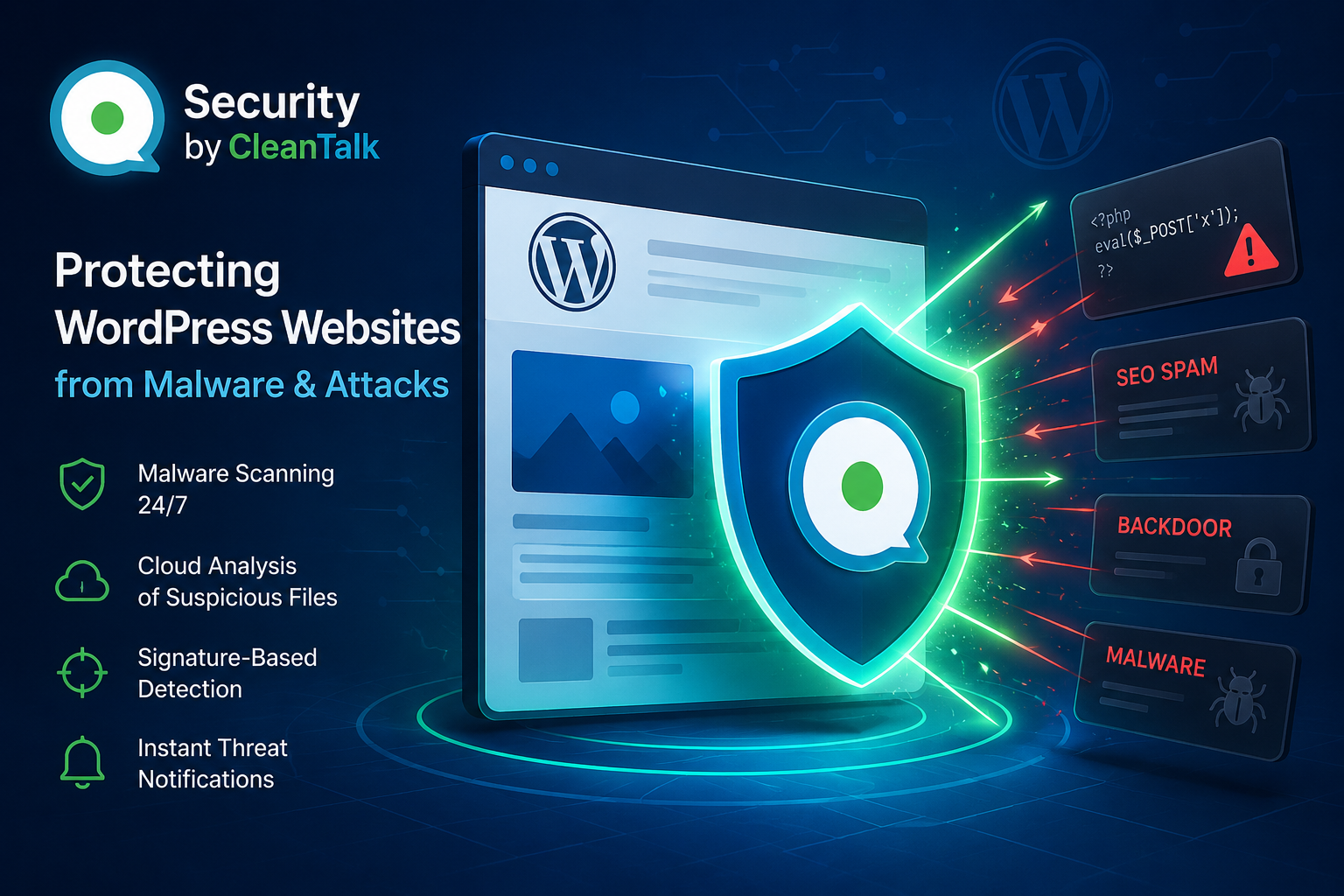
Every day, thousands of WordPress websites become targets for cybercriminals. Vulnerable plugins, outdated themes, weak passwords, and newly discovered security flaws allow attackers to upload malicious code, web shells, SEO spam, backdoors, and other dangerous files.
In many cases, website owners are completely unaware that their site has been compromised. Malware can remain active for weeks or even months while secretly redirecting visitors, sending spam, creating hidden administrator accounts, or providing attackers with full control over the server.
To address these threats, Security by CleanTalk was developed as a comprehensive security solution for WordPress websites. The plugin combines automated malware scanning, signature-based detection, cloud analysis of suspicious files, and additional security mechanisms designed to identify and prevent website compromises before they cause serious damage.
In this article, we will explain how Security by CleanTalk detects malicious code, how malware signatures are continuously updated, and how these technologies help website owners protect their websites from modern cyber threats.
Automated Website File Scanning
The foundation of Security by CleanTalk is its automated file scanning system.
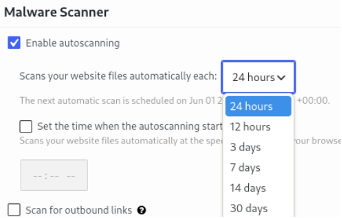
The plugin allows website owners to choose how often their website should be scanned:
- Every 12 hours
- Every 24 hours
- Every 3 days
- Every 7 days
- Every 14 days
- Every 30 days
For most websites, we recommend running scans every 12 or 24 hours. This allows threats to be identified as early as possible and significantly reduces the amount of time attackers can remain undetected.
During each scan, the plugin analyzes website files for known malware signatures, suspicious code patterns, and potentially dangerous modifications.
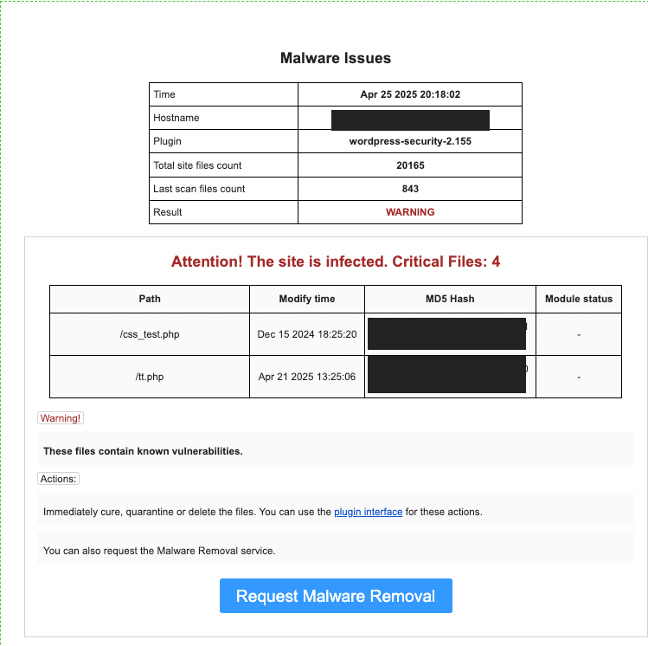
If a threat is detected, the website owner immediately receives an email notification.
Malware Detection Notifications
Whenever suspicious or malicious files are found, Security by CleanTalk automatically alerts the website administrator.
Receiving such a notification should not be a reason to panic. Instead, it indicates that a potential threat has been identified early enough to take corrective action before significant damage occurs.
The notification typically includes:
- File path
- Detection timestamp
- Threat level
- Recommended actions
Early detection gives website owners an opportunity to investigate and remove malicious files before attackers can further exploit the compromised website.
Cloud Analysis of Suspicious Files
Not every suspicious file can be accurately classified through automated analysis alone.
For this reason, Security by CleanTalk includes the feature Automatically Send Suspicious Files for Cloud Analysis.
When a file is assigned the status Suspicious, it can be automatically submitted to the CleanTalk cloud analysis system for additional review.
After examination, the file receives one of the following classifications:
- Safe — the file is legitimate and harmless.
- Dangerous — the file contains malicious code.
- Suspicious — additional investigation is required.
This process significantly improves detection accuracy and helps minimize false positives.
If a file receives the status Dangerous, website owners should remove it immediately or use a professional malware removal service.
How Signature-Based Malware Detection Works
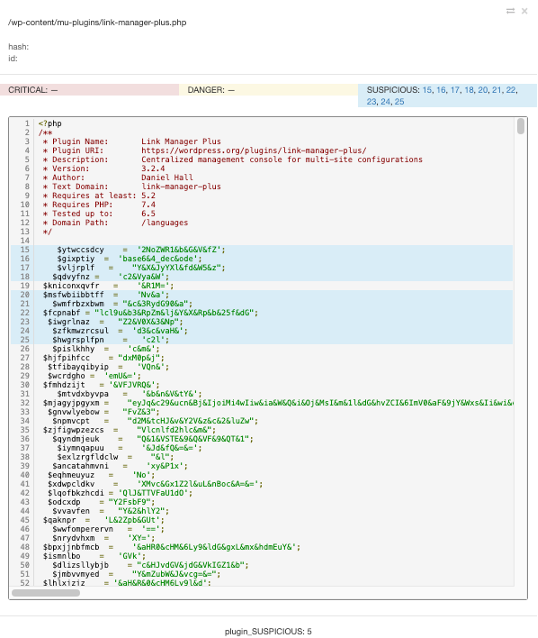
One of the core components of Security by CleanTalk is signature-based malware detection.
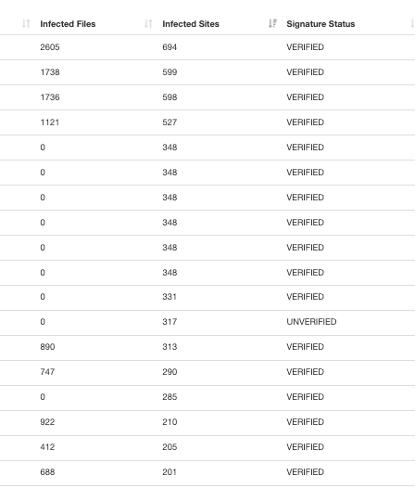
A signature is a unique pattern associated with a specific type of malicious software. During every scan, website files are compared against an extensive and continuously updated malware signature database.
This technology enables the detection of:
- PHP web shells
- SEO spam injections
- Hidden malware loaders
- Backdoors
- Phishing pages
- Malicious redirects
- Remote administration tools
When a match is found, the system flags the file as potentially dangerous and notifies the administrator.
Signature-based detection remains one of the most effective methods for identifying known malware families and preventing them from operating on a website.
The exposed administrator is sent to the password replacement form
Why Malware Signatures Must Be Continuously Updated
Cyber threats evolve constantly.
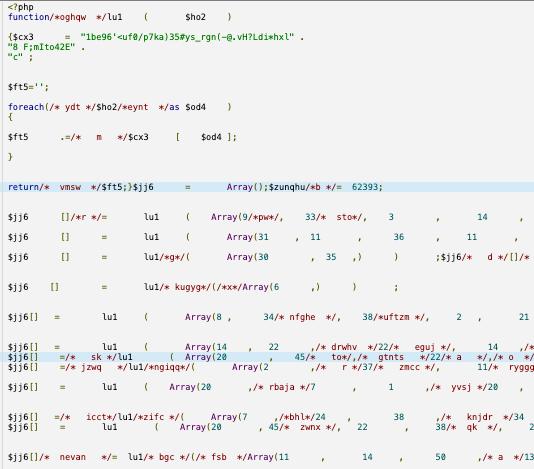
Several years ago, malicious PHP files could often be identified by obvious functions such as eval(), base64_decode(), or gzinflate(). Today, attackers use far more sophisticated techniques including code obfuscation, dynamic function generation, multi-stage payloads, and legitimate PHP functionality to conceal malicious activity.
In addition, cybercriminals increasingly use artificial intelligence tools to automatically modify malware and generate new variants capable of bypassing traditional detection methods.
As a result, a single malware family may appear in dozens of different forms while maintaining identical functionality.
To remain effective, security solutions must continuously adapt to these changes.
The CleanTalk security team regularly analyzes new malware samples, studies emerging attack techniques, and updates detection signatures to ensure the highest possible level of protection.
How Artificial Intelligence Is Changing Cyber Threats
Artificial intelligence has become a powerful tool not only for security researchers but also for attackers.
Modern AI-powered systems can generate modified malware samples, rewrite malicious code, create new obfuscation layers, and automate large-scale attacks.
This means that malware variants can appear much faster than ever before.
As cybercriminals adopt these technologies, security systems must respond with more frequent updates, improved detection methods, and ongoing threat intelligence analysis.
Continuous signature updates play a critical role in defending websites against these rapidly evolving threats.
Why Website Infections Often Go Undetected
One of the most dangerous aspects of modern malware is its ability to remain hidden.
Many website owners assume that a compromised website will immediately show obvious signs of infection. In reality, attackers often design malware specifically to avoid detection for as long as possible.
Common symptoms of a compromised website include:
- SEO spam appearing in search engine results
- Hidden redirects to third-party websites
- Spam emails being sent from the server
- Unauthorized administrator accounts
- Phishing pages hosted on the website
- Increased server resource consumption
In many cases, website owners only discover the problem after search engines blacklist the website or visitors report suspicious behavior.
Regular automated scanning helps identify these threats long before they become visible.
Continuous Improvement of Detection Capabilities
Every month, CleanTalk specialists analyze thousands of suspicious files detected across customer websites.
The information gathered from these investigations is used to create new malware signatures, improve detection algorithms, and enhance the overall effectiveness of the security platform.
Today’s attackers use not only traditional hacking techniques but also advanced automation tools capable of launching large-scale attacks and rapidly adapting malicious code to bypass security controls.
Website security is therefore not a one-time setup but an ongoing process that requires constant monitoring, research, and adaptation.
This philosophy is at the core of Security by CleanTalk.
Conclusion
Security by CleanTalk helps WordPress website owners identify malicious code, prevent website compromises, and minimize the consequences of cyberattacks.
By combining automated file scanning, signature-based malware detection, cloud analysis of suspicious files, and continuously updated threat intelligence, Security by CleanTalk provides an effective defense against both known and emerging threats.
The earlier a threat is detected, the lower the risk of data loss, website compromise, or complete server takeover.