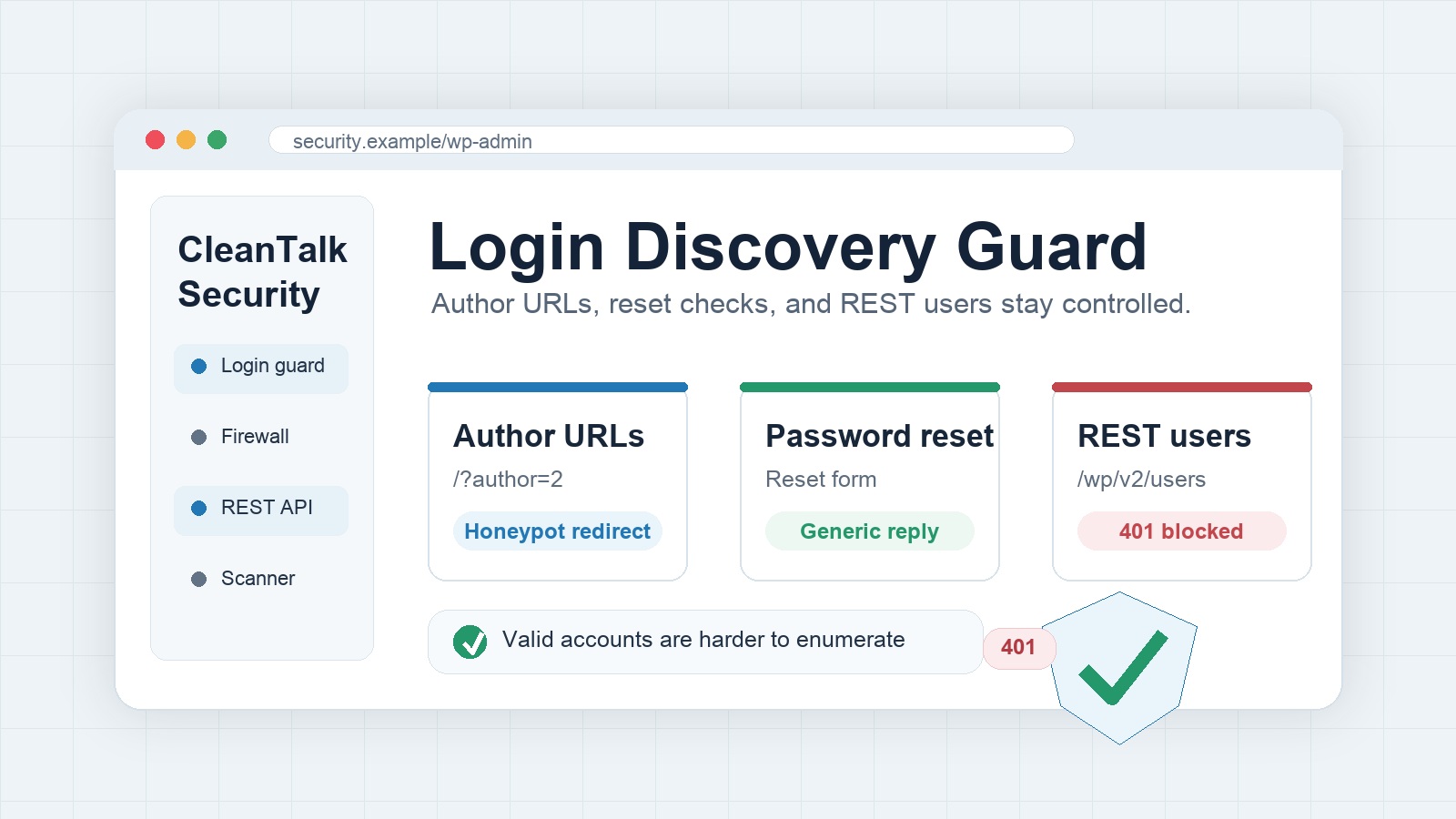
WordPress login discovery is one of the easiest reconnaissance steps before a brute force attack. A visitor does not need a password to learn useful hints. Public author archives, password reset responses, and the REST API users endpoint can all confirm that a tested account is real. Once attackers have a short list of valid logins, password spraying and credential stuffing become faster and cheaper.
Security by CleanTalk includes several controls that reduce this exposure. The plugin can protect numeric author archive requests, hide account existence in the password reset flow, and restrict the REST API users endpoint for visitors who are not signed in. The result is a smaller public username surface without removing normal website content from readers.
What login discovery looks like on WordPress
A default WordPress site can reveal user identity in a few common places. A request such as /?author=2 may open or redirect to an author archive. The page can show a display name, and the final URL can expose the author slug used by WordPress. This is useful to legitimate readers, but it is also useful to automated scanners that test author IDs one by one.
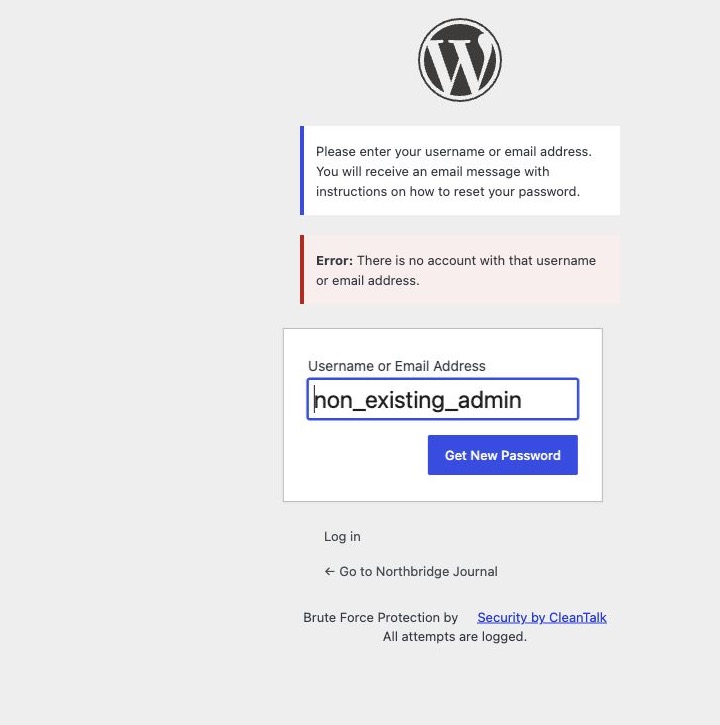
The password reset screen can also leak information. If a visitor enters a random username or email address, WordPress may answer with a direct error such as There is no account with that username or email address. That message helps a human correct a typo, but it also helps an attacker separate invalid guesses from valid accounts.
The REST API is a third source. On many sites, /wp-json/wp/v2/users can expose user objects for public authors. Even when the response only contains public profile data, it can still help an attacker build a cleaner list of logins or author slugs.
The related Security by CleanTalk settings
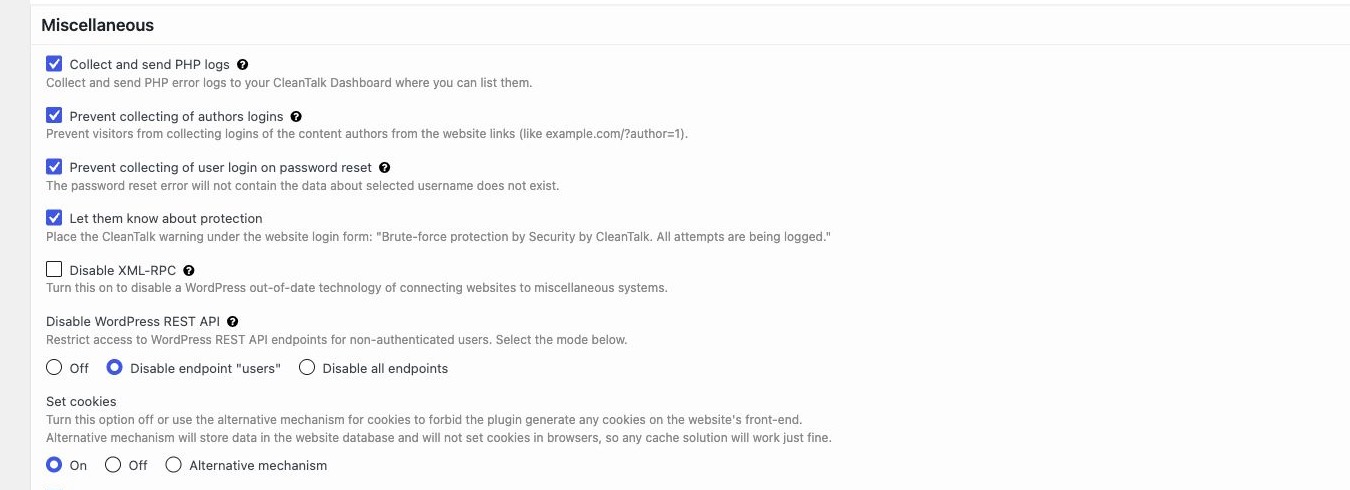
The tested configuration uses the Security by CleanTalk plugin on a fresh WordPress site with several demo authors. The relevant controls are in Settings – Security by CleanTalk – General Settings – Miscellaneous.
- Prevent collecting of authors logins protects author collection from numeric author links such as
/?author=1. - Prevent collecting of user login on password reset replaces account-specific reset feedback with a generic response.
- Disable WordPress REST API is set to Disable endpoint users, which blocks public access to the users endpoint while leaving other REST routes available.
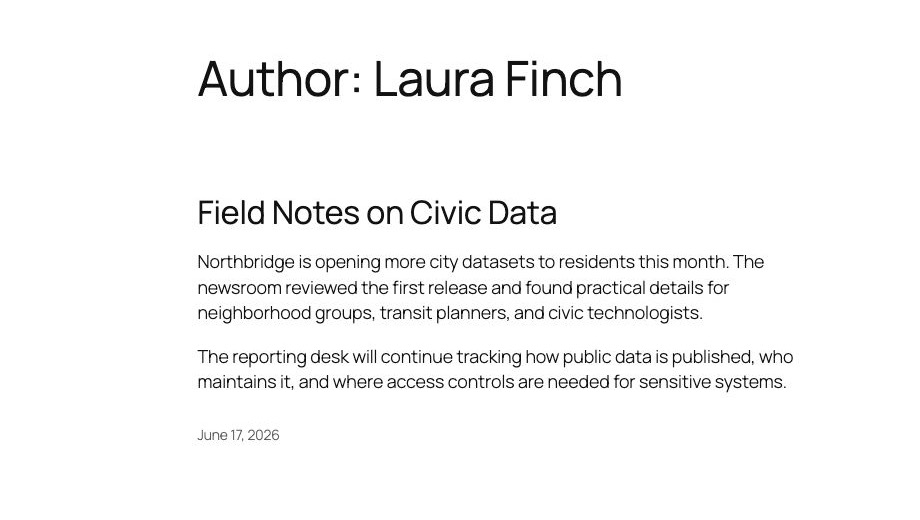
Before protection: the author archive confirms a real user
In the unprotected test, the numeric author request opens a normal author archive. The screen confirms that a real author exists and shows the public author identity for Laura Finch. On a production site, the same pattern can give scanners a reliable way to enumerate authors by changing the number in the query string.
After protection: the author request is sent to a dead end
With Prevent collecting of authors logins enabled, the same numeric author pattern is no longer useful for collecting a valid author slug. Security by CleanTalk redirects the request through a generated honeypot_login_* author path. Because that login does not exist, the browser lands on a 404 page instead of a real author archive.
This behavior is intentionally quiet. The visitor does not get a technical block screen, and the site does not publish a valid username in the redirect target. From an attacker point of view, the request no longer confirms the account behind the numeric author ID.

Before protection: password reset gives a clear account signal
The second test uses the WordPress password reset form. Without the Security by CleanTalk protection, submitting a username or email address that does not exist returns a direct error. The message is helpful for a normal user, but repeated submissions can turn it into an account discovery tool.
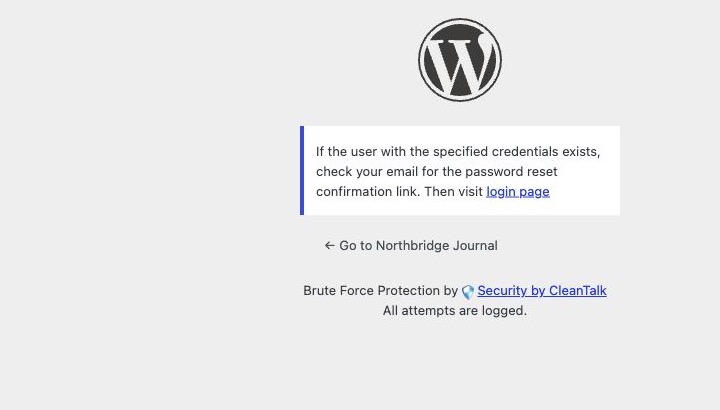
After protection: password reset uses a generic response
With Prevent collecting of user login on password reset enabled, the response changes. Instead of confirming that an account is missing, the form displays a generic message: If the user with the specified credentials exists, check your email for the password reset confirmation link. Then visit login page.
That wording keeps the user flow understandable without giving a scanner a yes or no answer for each tested login. A real account can still receive a reset email through the normal WordPress process, but the public response no longer reveals whether the account exists.
REST API users endpoint protection
The same test site also enabled Disable endpoint users for the WordPress REST API setting. A public request to /wp-json/wp/v2/users then returned HTTP 401 with the plugin response Current REST route access denied. (Security by CleanTalk). This protects the common API path used by scanners to list public WordPress users.
This setting is narrower than disabling the whole REST API. Other REST routes can remain available for themes, plugins, and editors, while the user listing endpoint is blocked for visitors who are not authenticated.
What this protection changes for site security
Login discovery protection is not a replacement for strong passwords, two-factor authentication, updates, least privilege, or brute force rate controls. Its value is reducing the quality of public reconnaissance. Attackers prefer clear, cheap signals. When author archive enumeration, password reset responses, and public user API responses stop giving those signals, automated attacks have less useful input.
For administrators, the feature is low-friction because it works at the WordPress behavior level. Public posts can still show bylines where the theme displays them. Editors and administrators can still sign in. The change is focused on routes and responses that are commonly used to collect account names in bulk.
Operational checklist
- Enable Prevent collecting of authors logins on public sites with more than one author or editor.
- Enable Prevent collecting of user login on password reset so reset feedback does not reveal account existence.
- Set Disable WordPress REST API to Disable endpoint users when public user listing is not required.
- Review the site after enabling the settings to confirm that author pages, password reset, and plugin integrations behave as expected.
- Use these settings together with login rate limiting, security logs, software updates, and strong administrator passwords.
FAQ
Does this hide every author name on the website?
No. The feature is focused on enumeration paths, not on removing editorial bylines from published content. A theme may still display public display names on posts where that is part of the site design.
Does the password reset form still work for real users?
Yes. The public message becomes generic, but the reset process can still continue for a valid account. The difference is that the response does not confirm account existence to the person submitting the form.
Should the entire REST API be disabled?
Not always. Many modern themes and plugins use REST routes. For this use case, disabling only the users endpoint is a practical balance because it protects the common user listing route while keeping other REST functionality available.
Is login discovery the same as a direct breach?
No. Login discovery is reconnaissance. It does not give an attacker a password, but it can make later attacks more efficient. Reducing this signal is one part of a layered WordPress security posture.