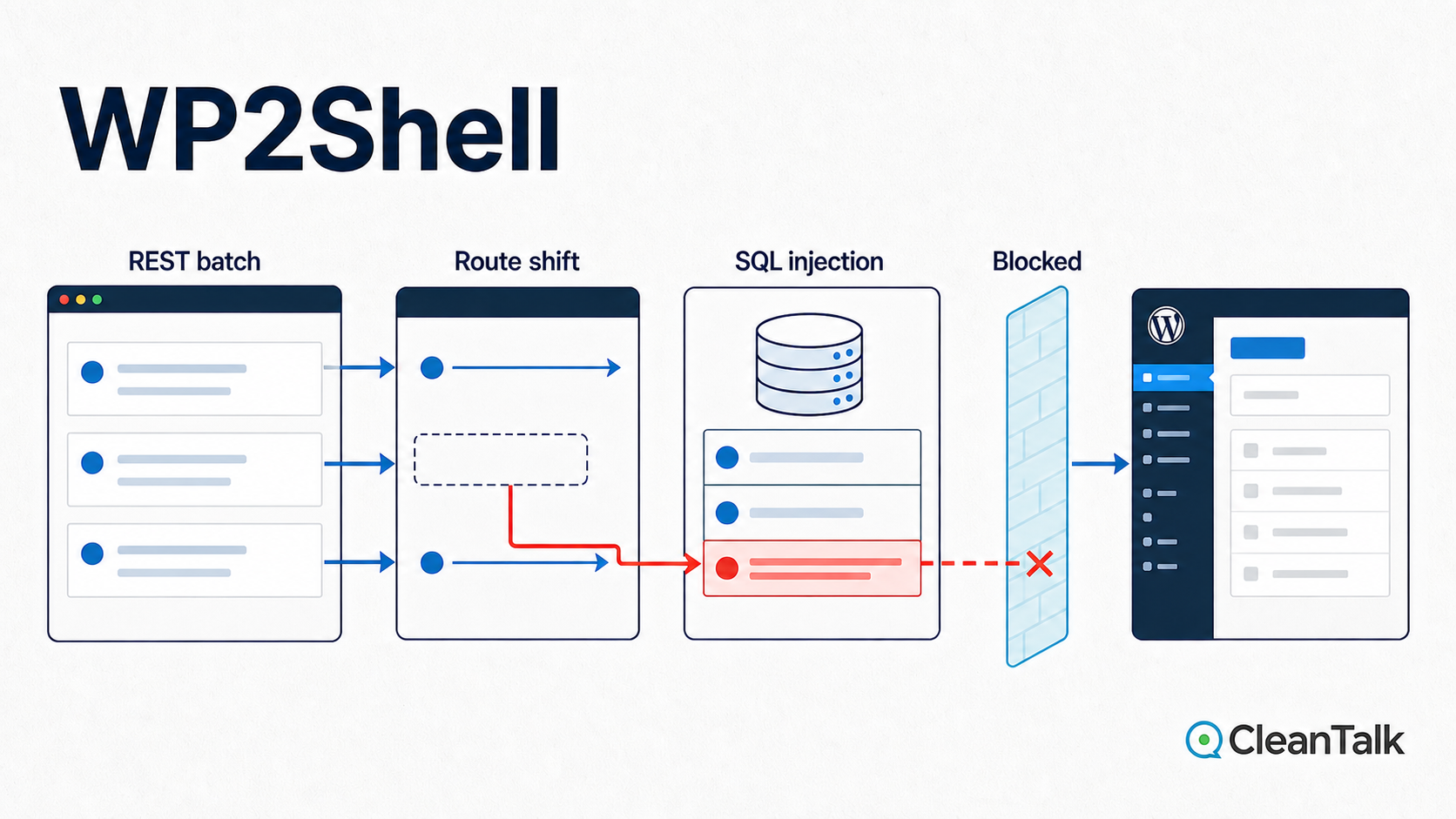
WP2Shell is a critical, unauthenticated remote code execution chain in WordPress core. It combines CVE-2026-63030, a REST API batch-route confusion flaw, with CVE-2026-60137, SQL injection in WP_Query. The full chain affects WordPress 6.9.0 through 6.9.4 and 7.0.0 through 7.0.1. The fixed releases are WordPress 6.9.5 and 7.0.2.
The first defect separates route validation from the handler WordPress eventually executes. The second accepts a scalar where WP_Query expects an array of author IDs, allowing SQL text to reach an unparameterized NOT IN (...) clause. Attackers can combine those behaviors to manipulate database results, create a rogue administrator, and reach PHP execution without an existing account or a vulnerable plugin.
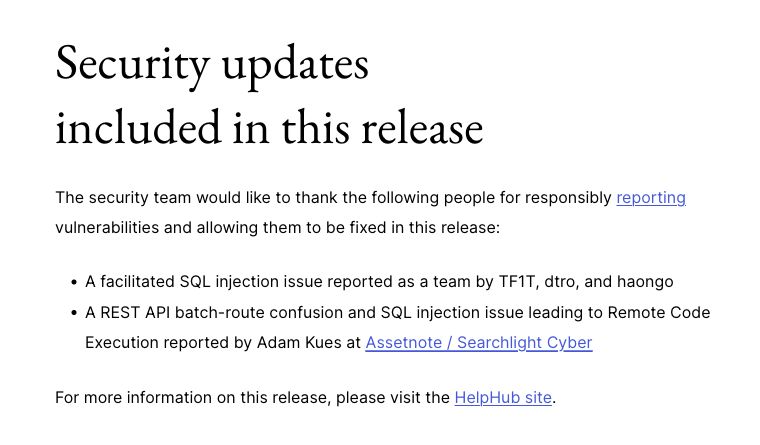
WordPress released the security updates on July 17, 2026 and enabled forced updates. CISA added both vulnerabilities to the Known Exploited Vulnerabilities catalog four days later. This analysis covers the affected versions, the vulnerable PHP code, the public attack path, indicators of compromise, remediation steps, and the request layer where CleanTalk Security can interrupt the chain.
Immediate action: update WordPress core first. Install WordPress 6.8.6, 6.9.5, 7.0.2, or a newer release for the branch in use. A web application firewall is an important compensating control, but it does not replace the core patch. Sites that were exposed before patching should also be checked for compromise.
WP2Shell quick facts
- Attack class: unauthenticated WordPress core remote code execution.
- Authentication required: none.
- Plugins required: none. The vulnerable code is in WordPress core.
- Full RCE chain: WordPress 6.9.0 through 6.9.4 and 7.0.0 through 7.0.1.
- SQL injection component: WordPress 6.8.0 through 6.8.5 is also affected by CVE-2026-60137.
- Fixed releases: WordPress 6.8.6, 6.9.5, and 7.0.2.
- Exploitation status: both CVEs are listed in CISA KEV.
Jump to the answer: affected versions, active exploitation, how to check a site, attack chain, indicators of compromise, CleanTalk protection, recovery, and FAQ.
WP2Shell affected versions and fixed releases
| Component | Role in the chain | Affected versions | Fixed versions |
|---|---|---|---|
| CVE-2026-63030 | REST batch route confusion. Critical, CVSS 9.8. | WordPress 6.9.0 through 6.9.4 and 7.0.0 through 7.0.1 | 6.9.5 and 7.0.2 |
| CVE-2026-60137 | SQL injection in WP_Query::author__not_in. Moderate in the GitHub advisory, CNA CVSS 5.9. | WordPress 6.8.0 through 6.8.5, 6.9.0 through 6.9.4, and 7.0.0 through 7.0.1 | 6.8.6, 6.9.5, and 7.0.2 |
The published ratings require context. The WordPress release describes one critical and one high-severity issue. The GitHub advisory currently labels CVE-2026-60137 Moderate, and the NVD record shows a CNA CVSS 3.1 score of 5.9. The full RCE impact belongs to the chain with CVE-2026-63030, whose CNA score is 9.8 and Critical.
The version split matters. WordPress 6.8 contained the SQL injection bug but not the batch route confusion needed for the published pre-authentication RCE chain. Versions before 6.8 are not affected by these two vulnerabilities. The authoritative version matrix appears in the WordPress 7.0.2 security release and the two GitHub advisories for CVE-2026-63030 and CVE-2026-60137.
Is WP2Shell being exploited? Current data as of July 30, 2026
The strongest official signal is CISA inclusion. As of July 30, both CVEs are in the Known Exploited Vulnerabilities catalog.
The NVD record for CVE-2026-63030 lists active exploitation, automatable attack behavior, total technical impact, and a July 24 remediation deadline. The NVD record for CVE-2026-60137 lists active exploitation and an August 4 remediation deadline. NHS England also rated the threat high, citing a public proof of concept and reported exploitation in its CC-4815 cyber alert.
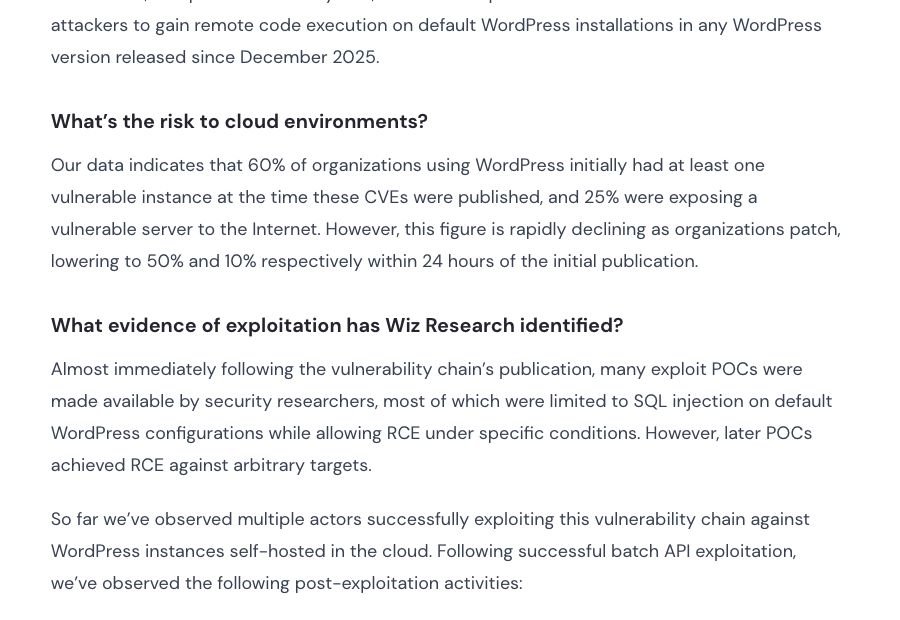
Independent cloud telemetry provides a useful exposure estimate. Wiz Research reported that at disclosure time, 60% of organizations using WordPress in its cloud dataset had at least one vulnerable instance and 25% exposed a vulnerable server to the Internet. Within 24 hours of forced updates, those figures fell to 50% and 10%. These percentages describe assets visible in the Wiz cloud dataset. They should not be treated as a census of the entire public WordPress ecosystem.
How to check whether a WordPress site is vulnerable
Checking exposure does not require sending an exploit request. The installed WordPress version is enough to determine whether the published WP2Shell code path is present.
- In the dashboard, open Dashboard > Updates or Tools > Site Health > Info > WordPress and record the exact core version.
- With WP-CLI access, run the command below from the WordPress directory.
- Compare the result with the affected version table. WordPress 6.9.0 through 6.9.4 and 7.0.0 through 7.0.1 are vulnerable to the full RCE chain.
- If the site was updated only after July 17, review the indicators of compromise. Patching closes the flaw but does not remove access gained earlier.
wp core versionA result of 6.8.6, 6.9.5, 7.0.2, or any later supported release is patched for the corresponding branch. WordPress 6.8.0 through 6.8.5 does not contain the complete pre-authentication RCE chain, but it remains vulnerable to the CVE-2026-60137 SQL injection component and should be updated.
CVE-2026-63030: REST API batch route confusion
The batch endpoint prepares every subrequest in one pass and executes the prepared entries in another. WordPress used two parallel arrays. $validation[$i] stored the validation result for subrequest $i. $matches[$i] stored the route handler selected for the same subrequest. That design is safe only while both arrays receive exactly one entry for every input.
In the vulnerable branch, a malformed subrequest produced WP_Error. The error was appended to $validation, but nothing was appended to $matches before continue. The excerpt below shows the relevant control flow. The omitted branch checks the matched route and parameters before writing the final validation result.
if ( is_wp_error( $single_request ) ) {
    $has_error    = true;
    $validation[] = $single_request;
    continue;
}

$match     = $this->match_request_to_handler( $single_request );
$matches[] = $match;
$error     = null;

// Route and parameter checks populate $error.

if ( $error ) {
    $has_error    = true;
    $validation[] = $error;
} else {
    $validation[] = true;
}
After one malformed item, the index relationship is broken. If request 0 is malformed, $validation[1] still describes request 1, but $matches[1] now describes request 2. During execution, request 1 can therefore pass the checks associated with its own, less restrictive route and then be dispatched through the handler selected for request 2. This is an interpretation conflict at the routing layer. The request body is interpreted under a schema that did not validate it.
| Input position | Validation entry | Handler entry after the bug |
|---|---|---|
| 0: malformed request | validation[0] contains the error | No matches[0] entry is added |
| 1: route with looser schema | validation[1] describes request 1 | matches[0] points to request 1 |
| 2: target route | validation[2] describes request 2 | matches[1] points to request 2 |
| Execution at index 1 | Checks for request 1 are accepted | Handler for request 2 is selected |
The 7.0.2 patch restores the invariant with one line. Even an invalid request now consumes a position in both arrays:
if ( is_wp_error( $single_request ) ) {
    $has_error    = true;
    $matches[]    = $single_request;
    $validation[] = $single_request;
    continue;
}
WordPress also added re-entrancy guards around REST dispatch. Those checks prevent an already active REST request from starting another top-level REST dispatch inside the same PHP execution. That closes the recursive dispatch step used by public WP2Shell tooling.
CVE-2026-60137: SQL injection in WP_Query
The posts REST endpoint exposes the public author_exclude parameter and maps it to the internal WP_Query variable author__not_in. Under the correct REST schema, the value is an array of integer author IDs. Route confusion breaks that assumption and allows a scalar string to reach WP_Query.
The vulnerable code sanitized values only when PHP already considered the input an array. A scalar skipped absint(), was cast to a one-element array, joined without quoting, and interpolated directly inside a SQL NOT IN (...) clause:
if ( ! empty( $query_vars['author__not_in'] ) ) {
    if ( is_array( $query_vars['author__not_in'] ) ) {
        $query_vars['author__not_in'] = array_unique(
            array_map( 'absint', $query_vars['author__not_in'] )
        );
        sort( $query_vars['author__not_in'] );
    }

    $author__not_in = implode(
        ',',
        (array) $query_vars['author__not_in']
    );
    $where .= " AND {$wpdb->posts}.post_author NOT IN ($author__not_in) ";
}
For a normal value such as [7, 12], the branch converts both elements to integers. For a confused scalar such as "7, attacker-controlled SQL", is_array() is false. The cast to (array) does not sanitize the string. It only wraps the string so that implode() can return it unchanged. The SQL parser, not WordPress, then decides what the extra tokens mean.
The fixed code normalizes every input through wp_parse_id_list(). Only integer IDs survive before the list is inserted into SQL:
$author__not_in_id_list = wp_parse_id_list(
    $query_vars['author__not_in']
);

if ( count( $author__not_in_id_list ) > 0 ) {
    sort( $author__not_in_id_list );
    $where .= sprintf(
        " AND {$wpdb->posts}.post_author NOT IN (%s) ",
        implode( ',', $author__not_in_id_list )
    );
    $query_vars['author__not_in'] = $author__not_in_id_list;
}
The correction restores a strict data type before SQL construction. CleanTalk’s guide to preventing SQL injection in WordPress explains the broader pattern, including typed placeholders and prepared queries for dynamic values.
How the WP2Shell exploit chain works
The public chain nests one batch inside another. The outer /batch/v1 schema normally permits only POST, PUT, PATCH, and DELETE subrequests, while the vulnerable posts collection query is a GET.
The outer route shift sends an inner requests body to the batch handler without validating it under the batch schema. The inner route shift then validates author_exclude against a route that does not recognize the parameter and executes it through GET /wp/v2/posts.
The schematic request below separates the two index shifts. The outer shift bypasses method validation for the inner batch. The inner shift moves the scalar author_exclude value into the posts collection handler.
POST /wp-json/batch/v1
Content-Type: application/json

{
  "requests": [
    { "method": "POST", "path": "<malformed path>" },
    {
      "method": "POST",
      "path": "/wp/v2/posts",
      "body": {
        "requests": [
          { "method": "GET", "path": "<malformed path>" },
          {
            "method": "DELETE",
            "path": "/wp/v2/posts/1",
            "body": {
              "author_exclude": "<attacker-controlled scalar>"
            }
          },
          { "method": "GET", "path": "/wp/v2/posts" }
        ]
      }
    },
    { "method": "POST", "path": "/batch/v1" }
  ]
}- The first malformed path in the outer batch adds a validation error but no matching handler entry.
- Because
$matchesis shifted, the outer request at index 1 is executed by the handler matched for index 2,/batch/v1. - The inner
requestsbody reaches the batch handler without the outer schema rejecting itsGETmethods. - A second malformed path repeats the array shift inside the inner batch.
- The scalar
author_excludevalue is accepted underDELETE /wp/v2/posts/1, which does not recognize that parameter, then executed by the shiftedGET /wp/v2/postshandler. WP_Querymaps the scalar toauthor__not_in. The resulting SQL response can be shaped as rows that WordPress hydrates intoWP_Postobjects.
How read-only SQL injection becomes administrator access
A common assumption is that a SELECT injection can only disclose data. WP2Shell demonstrates why that assumption is unsafe inside a stateful content management system. The exploit does not need to crack a stored password hash or issue a direct INSERT. It uses crafted query results to poison WordPress objects that later participate in legitimate write operations. The Searchlight Cyber technical analysis documents the complete transition.
The published RCE path uses two HTTP requests. The first makes WordPress create three real oembed_cache rows. The second feeds six forged WP_Post objects into the embed, changeset, parent-cycle, and dynamic-hook code paths. Those objects convert a read primitive into authenticated state changes in the following order.
- A UNION-shaped result makes the posts query return rows chosen by the attacker. WordPress hydrates those rows as
WP_Postobjects and places them in the per-request object cache. - Crafted post content triggers local
handling. WordPress writes realoembed_cacherows while still trusting the poisoned post objects in memory. - The attacker builds a small object graph that includes forged
customize_changesetandrequestposts with cyclic parent relationships. - WordPress repairs the detected parent cycle through
wp_update_post(). That is a legitimate write primitive fed by attacker-controlled values recovered from the poisoned cache. - Applying the forged customization changeset temporarily calls
wp_set_current_user()for an administrator ID represented in the crafted state. - A forged status or type causes the dynamic
parse_requesthook to run while that administrator context is active. The pending REST batch is dispatched again inside the same PHP request. - The replayed
POST /wp/v2/usersnow passes capability checks and creates a rogue administrator. - With dashboard access, the attacker can use standard plugin installation or upload behavior to place executable PHP. Code then runs with the web server account permissions.
The chain creates several independent detection opportunities. It depends on nested batch requests, unusual post-query values, object-cache side effects, administrator creation, and plugin installation. Blocking the initial request prevents every downstream stage. Detection of any later stage should trigger incident response because persistent access may already exist.
WP2Shell indicators of compromise and attack activity
Wiz reported malicious plugin uploads, user enumeration, local file inclusion attempts, administrator access, and high-volume scanning soon after disclosure. Bitdefender incident telemetry observed three scripted attempts against one environment. The first two created rogue administrator users with a w2s_ naming pattern and stalled. The third progressed to malicious plugin and webshell uploads. Names are easy to change, so behavior is a stronger signal than a single username prefix or filename.
| Signal | Why it matters |
|---|---|
Nested or repeated POST requests to /wp-json/batch/v1 | Matches the route-confusion delivery mechanism |
HTTP 207 Multi-Status responses around unusual batch traffic | Normal for batch results, but suspicious when paired with malformed subrequests and anonymous clients |
| Unexpected administrator creation | Indicates the privilege boundary may already be crossed |
| New plugin directories or PHP files without a recorded maintenance action | Possible transition from admin access to code execution |
Requests combining posts queries with abnormal author_exclude values | Targets the vulnerable SQL path |
| Follow-on access to plugin upload, theme editing, or user-management endpoints | Shows attackers using newly acquired administrative capabilities |
Does CleanTalk Security protect against WP2Shell?
The Security & Malware scan by CleanTalk plugin already provides request-layer protection against the SQL injection and exploit patterns used by WP2Shell when the Security Firewall, Web Application Firewall, SQL-injection check, and exploit check are enabled and the plugin is current. Its file scanning and cloud malware detection also help identify suspicious PHP files and malicious plugins left after a successful compromise.
The WAF inspects GET and POST traffic, including REST request bodies. It can reject the harmful request before WordPress reaches the vulnerable batch dispatcher and WP_Query code.
This placement matters because WP2Shell begins before authentication. A dashboard-only scanner cannot prevent the first request. CleanTalk evaluates inbound traffic before WordPress dispatches the vulnerable REST route, while the nested batch structure, SQL injection tokens, and exploit signatures remain visible. The official CleanTalk WAF documentation describes protection for dynamic resources, SQL injection attempts, malicious uploads, and exploit traffic.
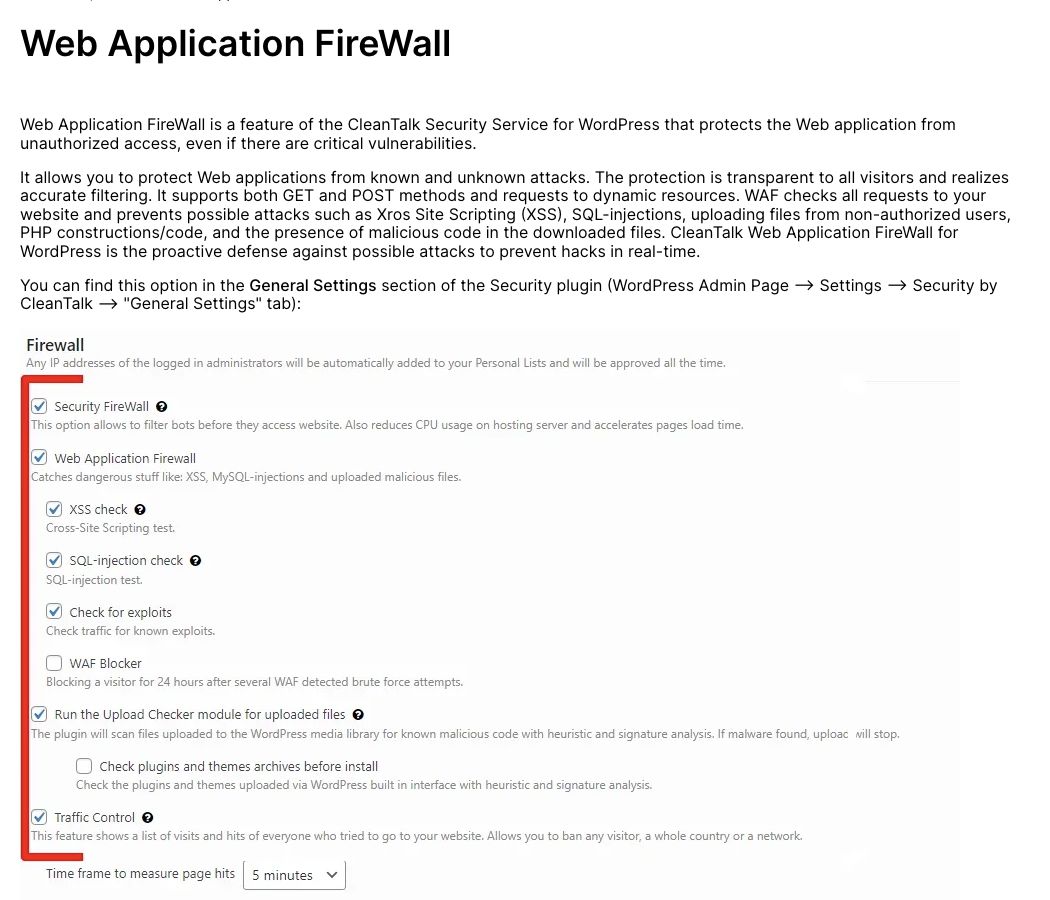
Defense in depth: CleanTalk Security can block WP2Shell request patterns and follow-on malicious uploads, but administrators must still install the corrected WordPress core version. A WAF protects traffic. The patch restores the broken invariants in the application itself.
How to detect and recover from WP2Shell
- Confirm the exact WordPress core version from the filesystem or Site Health. Do not rely only on an update notification that may be stale.
- Review web access logs for anonymous
POSTtraffic to/wp-json/batch/v1, especially requests followed by HTTP 207 responses and access to user or plugin endpoints. - Audit all administrator accounts, creation timestamps, email addresses, application passwords, and active sessions. Remove unknown accounts only after preserving evidence.
- Compare plugin and theme directories against known-good deployment artifacts. Inspect recently modified PHP files and uploads that should not contain PHP.
- Run a public surface check with the CleanTalk Website Malware Scanner to look for injected scripts, hidden links, unsafe external calls, and other browser-visible compromise signals. Treat this as an additional check, not a replacement for server-side forensics.
- Rotate WordPress salts, administrator credentials, database credentials, hosting control-panel credentials, and deployment secrets after confirmed compromise.
- Reinstall WordPress core and all extensions from trusted packages. A version update alone does not remove a webshell or stolen credential.
- Keep CleanTalk Security current, then enable the Security Firewall, WAF, SQL-injection check, exploit detection, and file scanning. Review Security Log entries for blocked and allowed follow-on activity.
- Preserve server, WAF, authentication, database, and file-integrity logs before cleanup. Successful WP2Shell exploitation can create several independent persistence paths.
WP2Shell frequently asked questions
What is WP2Shell?
WP2Shell is the name given to a WordPress core exploit chain that combines REST API route confusion with SQL injection. An unauthenticated attacker can use the chain to create an administrator account and execute PHP through normal WordPress administration features.
Which WordPress versions are vulnerable to WP2Shell?
The full WP2Shell RCE chain affects WordPress 6.9.0 through 6.9.4 and 7.0.0 through 7.0.1. WordPress 6.8.0 through 6.8.5 contains the SQL injection component only. The fixed releases are WordPress 6.8.6, 6.9.5, and 7.0.2.
How can a site owner check for WP2Shell exposure?
Check the exact WordPress core version in Dashboard > Updates, Site Health, or with wp core version. Compare it with the affected version ranges above. If the site was vulnerable before it was patched, review access logs, administrator accounts, plugins, and recently modified PHP files for compromise.
Is WP2Shell being actively exploited?
Yes. CISA lists both CVE-2026-63030 and CVE-2026-60137 in the Known Exploited Vulnerabilities catalog. Public exploit tooling and multiple security vendors have also reported scanning, rogue administrator creation, malicious plugin uploads, and webshell deployment.
Is WordPress 6.8 vulnerable to full WP2Shell RCE?
WordPress 6.8.0 through 6.8.5 contains CVE-2026-60137, the SQL injection component. The published pre-authentication WP2Shell chain also requires the REST batch route confusion introduced in WordPress 6.9. WordPress 6.8 sites should still update to 6.8.6 because the SQL injection defect is independently security relevant.
Does a persistent object cache fix WP2Shell?
No. The demonstrated chain relies on WordPress object behavior within a single PHP request. Changing Redis, Memcached, or another persistent cache setting is not a reliable remediation. The core patches and request-layer protection are the relevant controls.
Is updating enough after a confirmed compromise?
No. Updating prevents the vulnerable code path from being used again. It does not remove a rogue administrator, a malicious plugin, a webshell, stolen credentials, scheduled tasks, or modified files. Confirmed exploitation requires a full incident-response and recovery process.
Does CleanTalk Security protect against WP2Shell?
Yes. An up-to-date CleanTalk Security installation can block the SQL injection and exploit patterns used by WP2Shell when its Security Firewall, WAF, SQL-injection check, and exploit detection are enabled. File scanning also helps find suspicious follow-on files. WordPress core must still be updated because the plugin is a defense layer, not the vendor patch.
Can a WAF replace the WordPress patch?
No. CleanTalk Security provides a request-layer control that blocks malicious SQL injection, exploit patterns, and follow-on uploads. The WordPress update remains mandatory because it fixes the route-index invariant, normalizes IDs before SQL construction, and blocks nested REST re-entry.
Remediation priorities
WP2Shell is a composition failure. The route bug is not SQL injection by itself, and the query bug is not pre-authentication RCE by itself. The batch code assumes that its handler and validation arrays remain aligned. WP_Query assumes that REST processing has already enforced an integer array. When the first assumption fails, the second becomes exploitable. WordPress object behavior then converts the read primitive into an authenticated write path.
Sites running an affected branch should update immediately, inspect for the behavioral indicators above, and treat any confirmed rogue administrator or plugin upload as a full compromise. CleanTalk Security should remain enabled as a request-layer control against this threat class, with the Security Firewall, WAF, SQL-injection check, and exploit detection active.
Sources and references
- WordPress 7.0.2 security release
- WordPress advisory for CVE-2026-63030
- WordPress advisory for CVE-2026-60137
- Searchlight Cyber code-level WP2Shell analysis
- NVD and CISA KEV record for CVE-2026-63030
- NVD and CISA KEV record for CVE-2026-60137
- Wiz Research exposure and exploitation data
- Bitdefender technical advisory
- NHS England cyber alert
- CleanTalk WAF documentation


Pingback:SC WordPress Malware in functions.php, db.php & 1j2d192.php