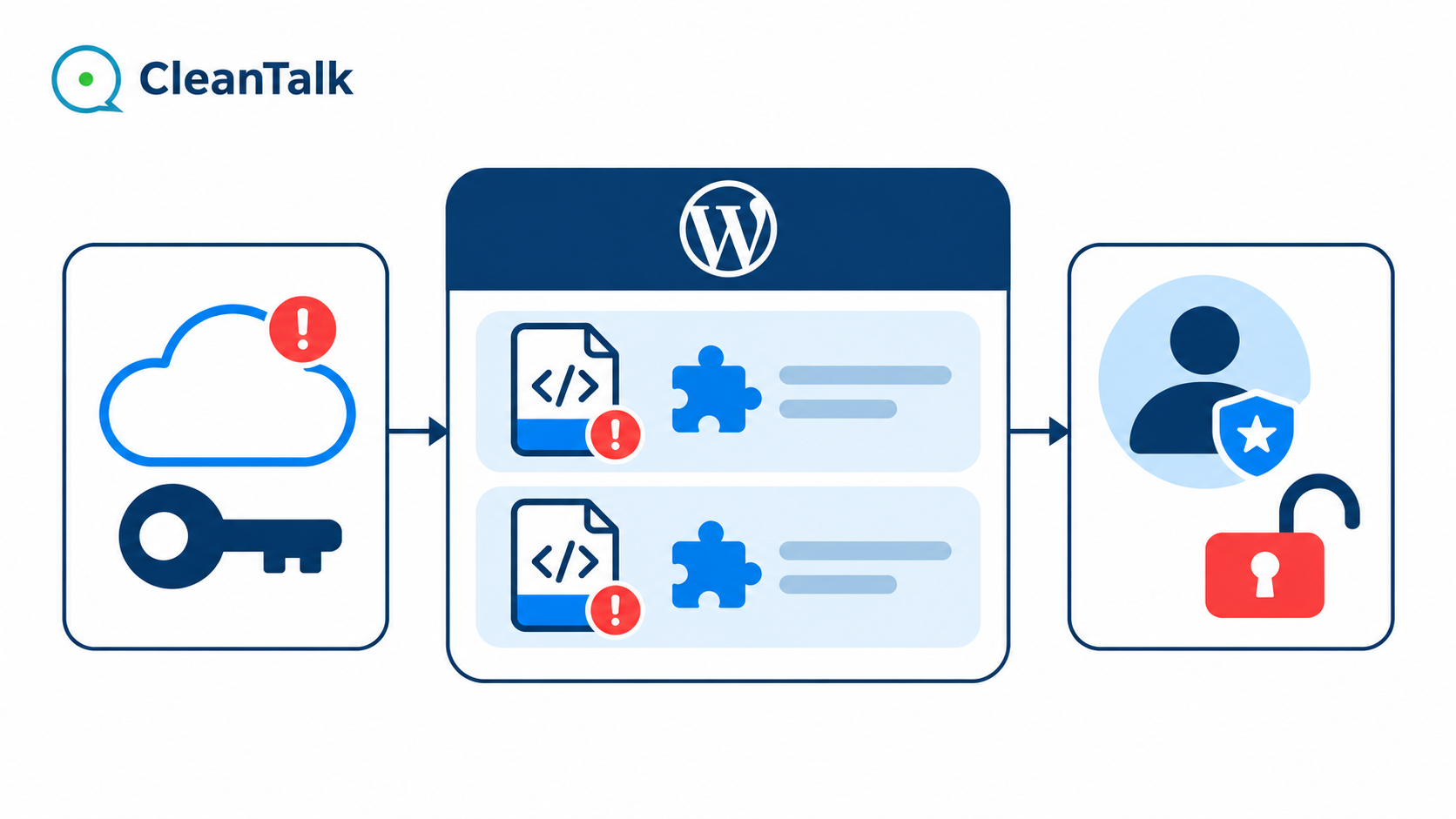
UpdraftCentral malware can leave a WordPress site looking normal while giving an attacker administrator access. In one investigated infection, Site Tools 2366 and Defer Helper contained code that could sign a visitor in as an existing administrator without that account’s password. A request supplying the backdoor’s secret could receive a login cookie, the browser credential that makes WordPress treat a visitor as signed in. Site logs traced the plugins’ installation to UpdraftCentral commands.
The case connects two problems that need separate treatment. A compromised management connection can deliver malicious PHP. Once that PHP is installed, its own backdoor can continue to grant access after the original connection is revoked. Recovery must address the entry path, the installed code and existing sessions.
Read the backdoor analysis, check the indicators or go straight to the recovery steps.
How UpdraftCentral malware reached the site
UpdraftCentral is a remote-management service that can perform administrative operations on connected WordPress sites. The relevant listener is included with UpdraftPlus. A connection with sufficient privileges can install and activate plugins, making its credentials security-sensitive even when the owner normally signs in through a different login URL.
Two retained records identified that route here. The UpdraftCentral client log recorded plugin.upload_plugin commands. Separate All-In-One Security audit entries captured the installation and activation stacks. They linked UpdraftCentral_Listener, the plugin-command handler and WordPress’s upgrader. The relevant methods appeared in this order.
udrpc_action
  -> upload_plugin
  -> process_chunk_upload
  -> Plugin_Upgrader::install
The retained timeline uses UTC.
- 18 Oct 2026 at 23:37:47. The
plugin.upload_plugincommand coincided with Defer Helper installation. Activation followed one second later. - 19 Oct 2026 at 10:03:08. A
plugin.delete_plugincommand was recorded. The message identifies neither its target nor successful deletion. - 19 Oct 2026 at 10:03:12. Another
plugin.upload_plugincommand coincided with Site Tools 2366 installation and activation.
Both sources recorded the IPv6 address 2a09:bac5:4e21:2e3c::49b:9. The client log also identified the cloud connection as 0.central.updraftplus.com. Timestamps and operations agreed across the logs. File modification times provided supporting context, although timestamps alone would not establish how a file arrived.
An administrator name in an audit entry does not identify the person operating the connection. The retained UpdraftCentral listener assigns the WordPress user associated with the connection before dispatching commands. A remote operation can therefore appear under an existing administrator without a human entering that administrator’s password on the login page.
The connection to the TeamUpdraft incident
TeamUpdraft reported unauthorized access during 17 and 18 October 2026 and said its customer database included cloud connection keys. Its official incident advisory describes malicious plugin installation through affected connections. UpdraftPlus 1.26.13 and 2.26.13 introduced automatic revocation of affected older connections. The vendor stated that the UpdraftPlus plugin downloads themselves were not affected.
The matching period, cloud connection indicator, address and backdoor behavior make compromised cloud credentials the strongest explanation for this UpdraftCentral malware case. Nethemba’s independent backdoor investigation also describes the same IPv6 address and related authentication backdoors. The local evidence proves the delivery channel. It does not reveal exactly how this site’s individual connection credential reached the attacker.
Site Tools 2366 bypasses the normal login flow
Site Tools 2366 was a 671-byte PHP file with a short maintenance description and a version value of 1.0. Its ABSPATH guard merely required WordPress to be loaded. It did not restrict the code to an authorized administrator.
Here, the token was a secret value supplied in a web request. The backdoor checked that value instead of asking for the WordPress account’s password. It was a separate access secret controlled by the backdoor code.
The important branch ran on init, a WordPress event during request initialization. It checked the request parameter against the embedded token, selected an existing user with the administrator role, called wp_set_current_user and wp_set_auth_cookie, then redirected the visitor to administration. The branch did not validate the selected administrator’s password.
The available logs prove installation and activation. They do not show a successful request to either backdoor’s secret entry point. The authentication behavior described here is established by the code, rather than a recorded attacker login.
These are legitimate WordPress functions used in an unauthorized authentication path. WordPress documents wp_set_auth_cookie as the function that sets authentication cookies for a user ID. A constant-time token comparison does not make the surrounding backdoor legitimate.
Site Tools did not need to create another administrator. It could impersonate an existing one. Checking only for unfamiliar accounts would miss that capability. The selected account was the result of the administrator query, not a fixed promise to use user ID 1.
Defer Helper combines login access with optional account creation
Defer Helper was larger at 3,757 bytes and advertised version 1.2.6. Its database optimization description, activation bookkeeping and small script-management filter gave it the appearance of a utility. The declared author field was simply text in the malicious file and did not establish a genuine developer identity.
Defer Helper’s token-controlled init handler provided three paths. Its service user was the account whose ID the plugin saved in the WordPress database. That label did not describe a separate official WordPress role.
| Branch | Behavior |
|---|---|
| Default | Can sign a visitor in as an existing administrator and open WordPress administration |
| Setup | If the saved account cannot be found, can create an administrator with preset credentials, save its ID and sign the visitor in as that account |
| Service user | Can sign a visitor in as the account identified by the saved user ID |
The recovered setup branch used the account name contentadmin193 and the option defer_helper_uid. Creation required the correct token and the setup branch. Activation alone did not create the account, and the daily scheduled task did not create it either.
Neither that username nor the stored service-user ID was present in the retained database snapshots. This establishes their absence at those snapshot times, not that the branch had never been used. The default branch still supplied a route into an existing administrator account.
The hiding attempts were faulty
The file tried to exclude its service account from user queries and reduce the visible administrator count. In the reviewed WordPress 7.1.4 implementation, both attempts were defective.
Its pre_user_query callback changed query_vars["exclude"] after SQL parts had already been prepared. It did not change the prepared SQL condition. The hook documentation describes that timing. Its pre_count_users callback expected an object property, while WordPress supplies null or an array. That code did not correctly replace the count result.
The account-hiding callbacks did not work in the reviewed WordPress version. Investigators should still check database accounts and their assigned permissions directly, alongside dashboard lists that a suspect plugin can influence.
The scheduled task was not a reinfection mechanism
The code registered a daily defer_helper_maintenance task that targeted expired transient-timeout options for deletion. Its callback contained no instruction to restore the PHP file, reinstall the plugin or recreate an administrator. Deactivation code cleared its schedule and an installation marker, but did not revoke already issued login cookies or remove a service account.
Neither recovered file contained a downloader, shell-command runner or deletion-triggered attack. Their authentication capability was already sufficient to expose the site. Subsequent changes through an administrator session would require separate evidence. The reported MailPoet startup error was also not explained by either file, and a later integrity check found its files consistent with the official package.
Why a clean vulnerability scan is not enough
A vulnerability check and a malware investigation answer different questions. A CVE check compares software versions with known vulnerability records. A frontend scan examines what the public website returns. Neither result, on its own, establishes that every server-side PHP file is legitimate.
These backdoors could leave public pages unchanged and remain inactive until a request supplied their token. Their behavior also used ordinary WordPress authentication functions rather than an obvious encoded loader. A normal homepage and a clean CVE result do not clear an unexplained plugin. The scope of the specific scanner and its available file access must be established before interpreting its result.
Indicators worth preserving
Preserve complete copies of suspicious files, record their hashes and retain database and audit evidence before removal. For these exact samples, the file fingerprints were as follows.
Site Tools 2366, entry file site-tools-2366.php, 671 bytes, SHA-256
be51c2c2177091ebdff27d651db60b10d1047e161ff0cf5baec40c50b6a3925bDefer Helper, entry file defer-helper.php, 3,757 bytes, SHA-256
5577db7c3ec1f59fe81c886185297f63366e5e8ea2fd3f0ff5ff5f063714cadeThe hashes identify these exact files. Names, tokens and account labels can change in other variants. A copied header or a matching-looking filename is not enough to classify a file. Review the request-to-authentication flow, its provenance and the surrounding code. The observed IPv6 address is a correlation indicator, not an attribution to an individual operator.

SPECIALIST-DRIVEN CLEANUP
Need help with this infection?
Facing Site Tools 2366, Defer Helper or a similar infection? CleanTalk offers a paid, specialist-driven malware removal service to investigate and clean infected WordPress sites.
How to remove UpdraftCentral malware and close the entry path
Before cleanup, ask the hosting provider or a WordPress security specialist for a complete snapshot of the site’s files and database. Keep this evidence copy outside the public website and label it as compromised. Keep a known-clean restore source separate. WordPress backup guidance explains why a complete backup needs both files and the database.
Revoke the affected management connection
Follow the TeamUpdraft recovery advisory and install a current maintained UpdraftPlus release. On an affected site, open Settings → UpdraftPlus → Advanced Tools → UpdraftCentral → Manage existing keys and delete all existing UpdraftCentral connection keys. Confirm that no keys remain stored on the site. Updating alone is not a substitute for this check.
Complete the vendor’s account recovery steps as part of cleanup. Change the teamupdraft.com account password and reset two-factor authentication if it was enabled. For a site accessed through UpdraftCentral, re-authorize connected remote storage and rotate the relevant storage access credentials. Arrange any replacement connection only after the site has been cleaned and verified.
Database snapshots taken before cleanup already lacked the standard UpdraftCentral connection-key entry. The backdoors had their own request secrets, so disconnecting the cloud service alone could not remove those access paths.
Remove the malicious code and review account access
These file and database checks may require a hosting provider or WordPress security specialist. Ask for a record of the files removed or replaced and the accounts and permissions reviewed.
After preserving evidence, deactivate a confirmed malicious plugin and remove its complete directory through a trusted hosting file manager or SFTP. If a legitimate plugin has been altered, replace it with a clean copy of the correct official release, or have a specialist verify and remove the injected code.
Check administrators, editors, role definitions, user capability metadata, application passwords and unfamiliar remote-management integrations. Review related options and scheduled tasks by what their code actually does. Account removal should preserve legitimate content ownership. Reinstall trusted components from their correct official releases where integrity has been lost.
The investigation should also cover wp-content/mu-plugins, drop-ins, themes, uploads, configuration files and database content. CleanTalk’s articles on malicious must-use plugins and database-trigger persistence explain other locations that can matter in recurring infections. Their existence on a site is not automatically malicious, and neither mechanism was established as the entry path in this case.
Invalidate sessions after removing the backdoor
Changing a password does not remove PHP that can issue another administrator cookie. First close the unwanted code and management access, then reset exposed WordPress and hosting credentials and revoke existing sessions. Save unfinished work before a site-wide sign-out. Replacing the WordPress authentication keys and salts invalidates cookies signed with the old values. CleanTalk’s Shuffle Salts guide explains the operation and its effect on signed-in users.
After session revocation, open /wp-admin/ again in a browser that was signed in before cleanup. That old session should now require a new login. Confirm that a legitimate new login works and that public pages still load normally. Application passwords and external identity-provider sessions require their own review. Repeat file and database checks after cleanup rather than treating one deleted folder as completion.
Use file monitoring alongside malware analysis
The Security by CleanTalk Malware Scanner provides file findings and analysis workflows inside WordPress. Follow up unfamiliar or modified files with source inspection and trusted-package comparisons. A file marked unknown needs investigation rather than automatic deletion, and an empty result list has meaning only within the scan’s coverage.
For changes between recorded snapshots, File System Watcher helps identify paths added, changed or deleted outside expected maintenance. A new plugin can become visible as an unexpected file change before its behavior is understood. Monitoring needs an existing baseline and retained journals. It cannot reconstruct an earlier period that was never recorded.
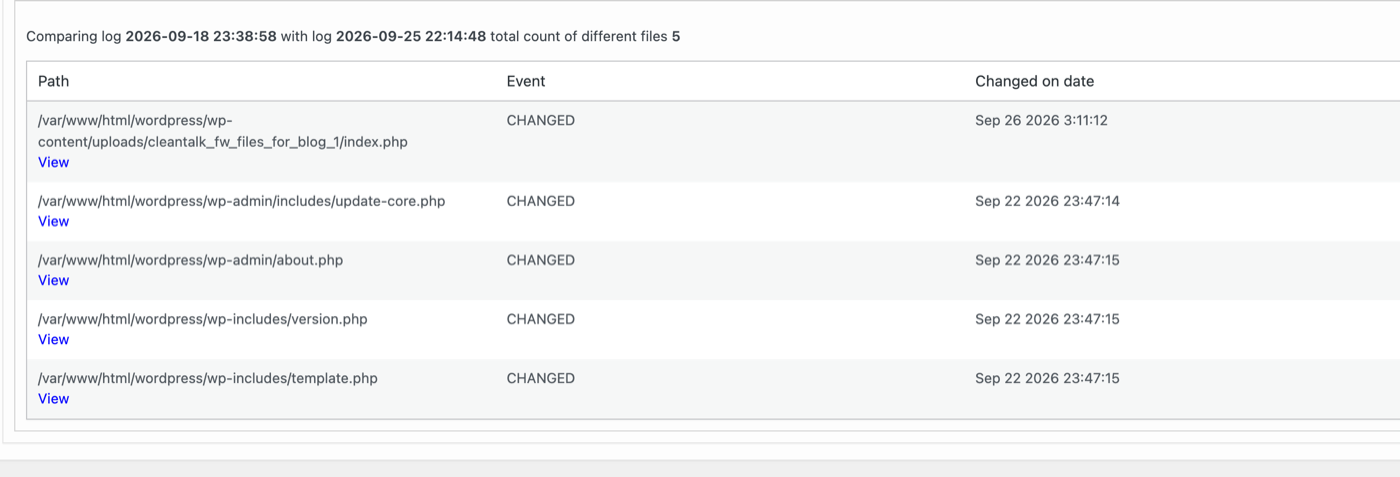
Keep plugin-lifecycle and remote-management logs long enough to compare with those changes, preferably with copies outside the affected site. Alerting on an unexpected installation is useful even when the operation is authenticated. The response should identify which trusted connection performed it and whether the owner authorized that activity.
Questions about UpdraftCentral malware
Does updating UpdraftPlus remove installed backdoors?
Updating and revoking the affected connection address the delivery route. Files and accounts already created need separate investigation and cleanup. A backdoor with its own token can remain usable after the cloud connection is gone.
Does finding no extra administrator mean the site is safe?
No. Both recovered plugins could issue a session for an existing administrator. A review must cover executable code and existing access, not only unfamiliar usernames.
Will deleting these two plugins trigger another attack?
The two inspected files contained no uninstall callback or removal-triggered payload. That finding is specific to these samples. Preserve evidence and inspect a file’s full behavior before removing it, because other variants may implement different deletion routines.
Would a stronger password or login-page 2FA stop this code?
Those controls protect ordinary authentication paths. This code ran inside WordPress and directly requested an authentication cookie after its own token check. Removing the unauthorized code and reviewing remote-management credentials are necessary parts of recovery.
Keep the evidence and the recovery connected
The distinctive lesson from this case is the trusted route used to deliver an untrusted plugin. Logs established UpdraftCentral installation, while code review established administrator impersonation and optional account creation. The broader cloud-key incident is a well-supported explanation for access, with the precise theft of this individual key still unresolved.
A complete response closes that management route, removes the backdoors, reviews their account and configuration effects, invalidates old sessions and checks for further changes. That combination is what turns removal of Site Tools 2366 and Defer Helper into a verifiable recovery.