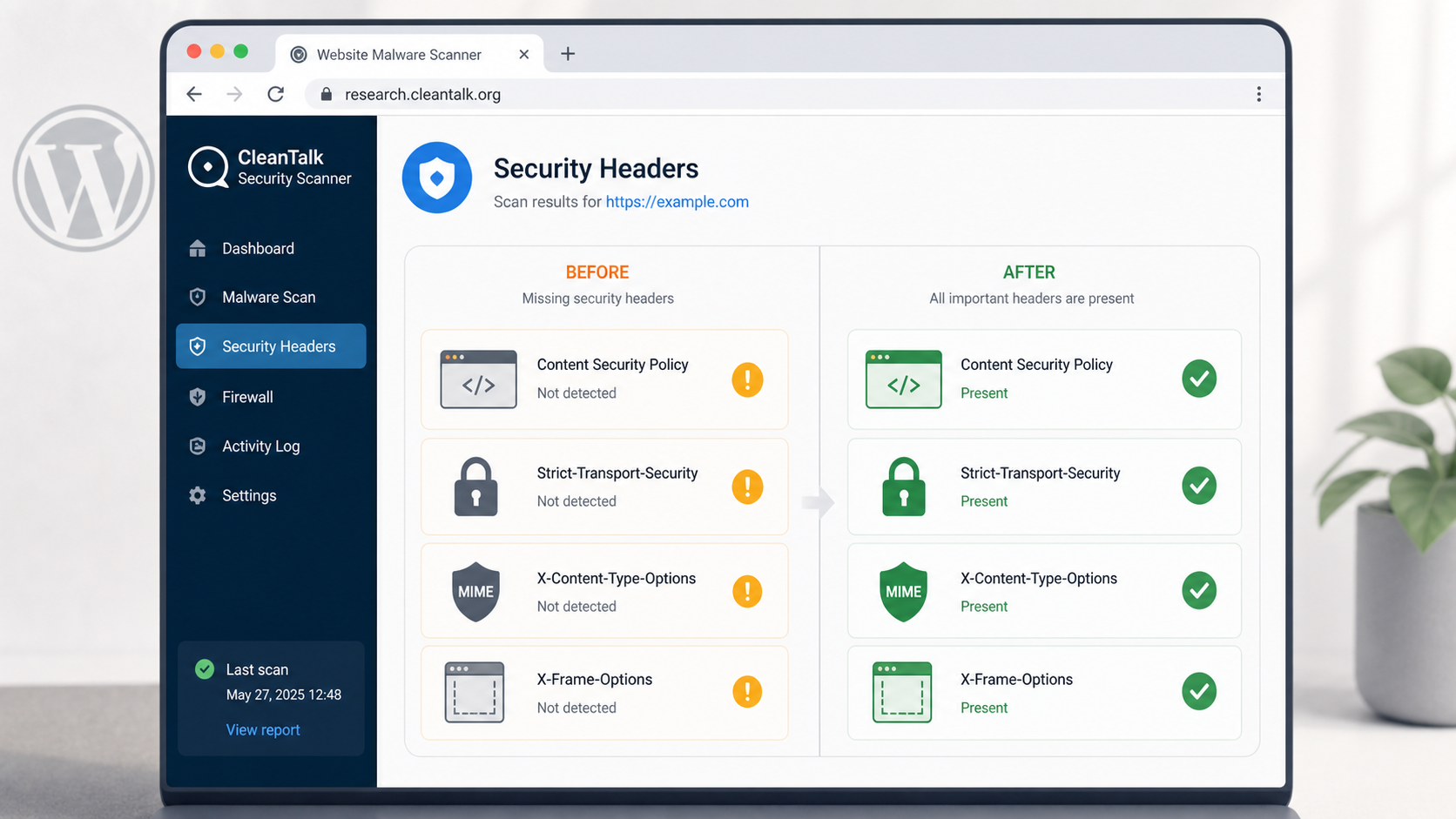
A WordPress site can pass malware checks and still leave the browser without basic protection. The Security headers block in CleanTalk Website Malware Scanner makes that gap visible. It checks whether the public response includes browser-facing policy headers that reduce script injection impact, clickjacking, MIME confusion, and HTTP downgrade exposure.
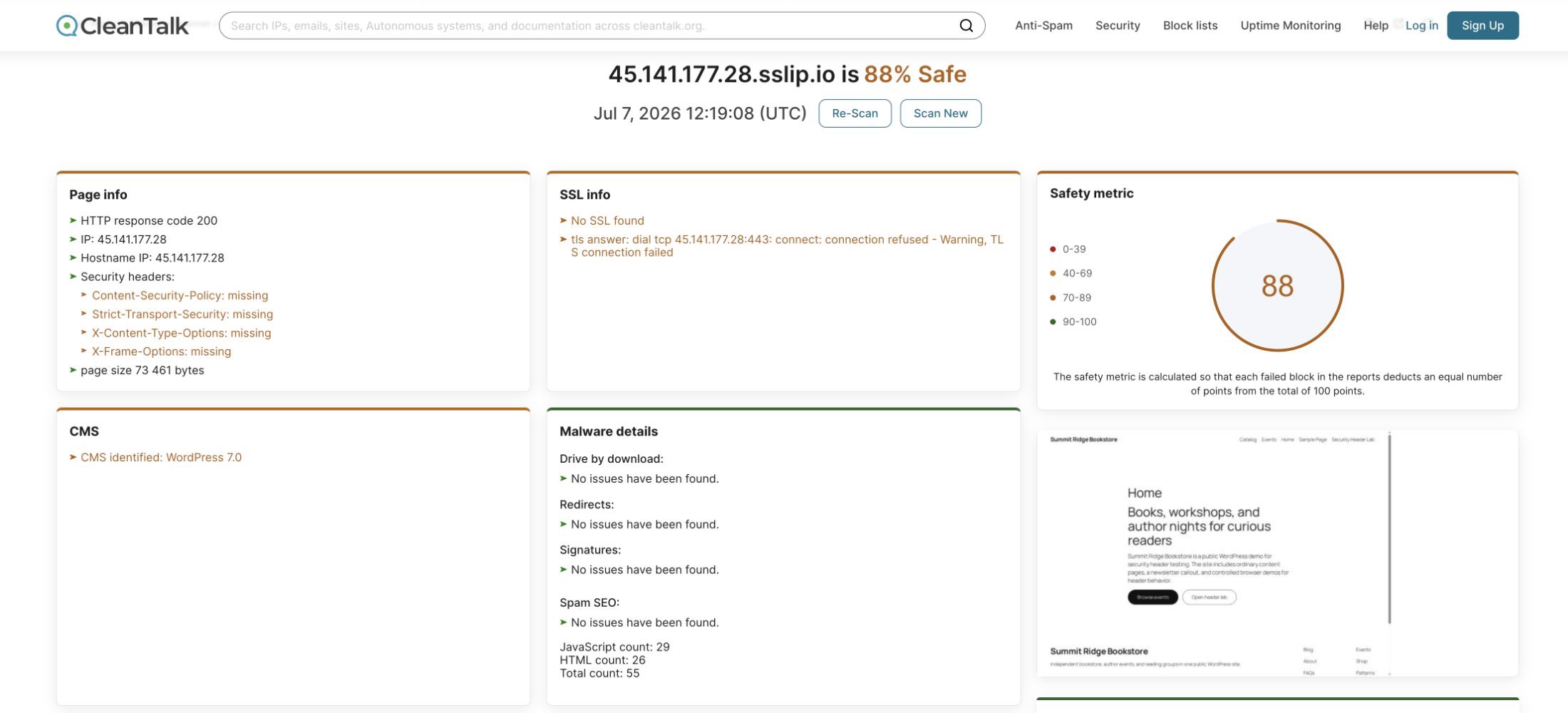
The controlled demo used a temporary WordPress site named Summit Ridge Bookstore. The first scan on July 7, 2026 showed Content-Security-Policy, Strict-Transport-Security, X-Content-Type-Options, and X-Frame-Options as missing in the scanner report. The scan ID was 91627381c68bc339246713810fb9dc8d.
CleanTalk Scanner Context
The official CleanTalk Website Malware Scanner works from the public front end. It requests the site like an outside visitor and reports response code, SSL status, CMS signals, malware details, Safe Browsing status, repository exposure, JavaScript calls, iframe calls, links, and security headers.
That public view is useful for header checks because headers are delivered to every browser. A missing header does not prove the site is infected. It means the browser did not receive a policy that could limit a common class of attack.
Test Setup
The test site ran a normal WordPress homepage, a small security header lab page, and three controlled browser examples. The first mode sent no extra security headers. The second mode added CSP, HSTS, nosniff, and frame protection at the HTTP response layer. CleanTalk was run before and after that change against the same public URL.
Header Risks Shown by the Scanner
Content-Security-Policy
Risk when missing. A missing CSP gives the browser no site-level rule for where scripts, frames, images, forms, and objects may load from. If injected HTML reaches a theme file, widget area, plugin output, or compromised content block, the browser may run inline JavaScript or load a remote script without a policy barrier.
Practical effect. CSP does not replace sanitization. It gives a second layer that can stop or reduce the impact of injected front-end code, especially when the policy removes inline script execution and limits script sources.
Strict-Transport-Security
Risk when missing. HSTS tells browsers to use HTTPS for future visits. Without it, users can still start from an old HTTP bookmark, a copied link, or a downgraded first request on an untrusted network. That creates room for traffic interception before the browser reaches the encrypted site.
Practical effect. HSTS should be enabled only after HTTPS is working correctly for the full site. In the demo, CleanTalk also kept SSL info visible as a separate reminder because the lab used plain HTTP.
X-Content-Type-Options
Risk when missing. Browsers may try to interpret a file based on content instead of the declared MIME type. If a user upload, cache file, or proxy response is mislabelled, the browser may treat it as executable script in contexts where that should not happen.
Practical effect. nosniff tells the browser to trust declared types for script and style loading. It is a small header, but it closes a class of content confusion bugs that often appears around uploads and static files.
X-Frame-Options
Risk when missing. A missing frame protection header can allow another origin to embed the site inside an iframe. A fake panel or transparent overlay can then trick a user into clicking a button while the real site is underneath.
Practical effect. X-Frame-Options: SAMEORIGIN blocks many legacy framing attempts. A modern CSP should also include frame-ancestors 'self' because that directive is more flexible and applies directly to framing policy.
Three Practical Browser Examples
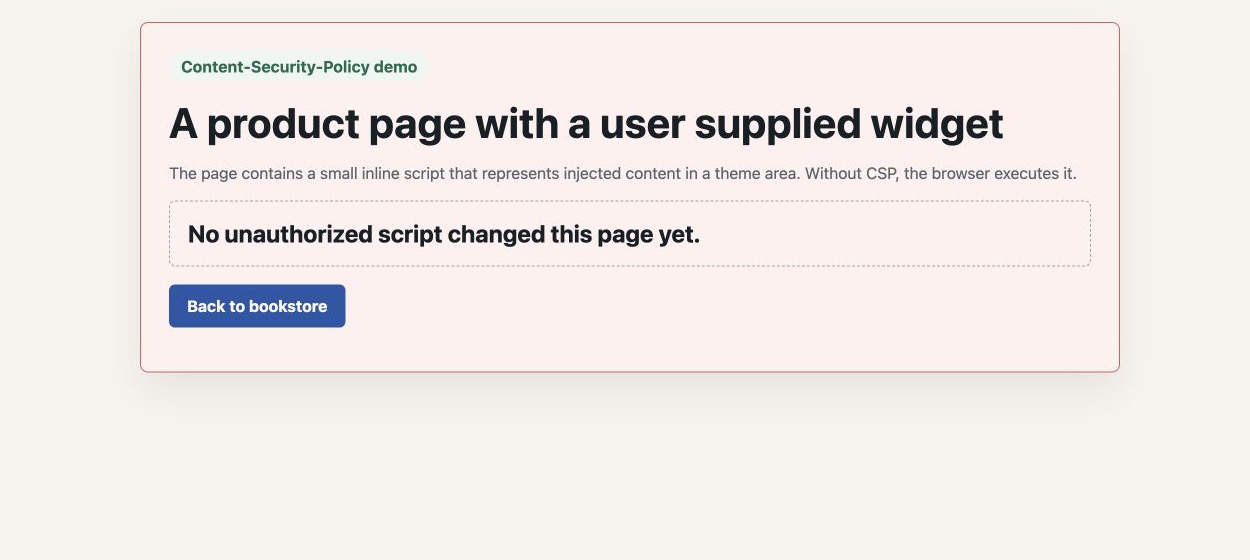
Example 1. Missing CSP lets inline script change the page
The first demo page contained a small inline script that changed a visible status box. With no CSP, the browser executed the inline script. This is the same browser behavior that makes injected theme snippets and unsafe widget output risky.
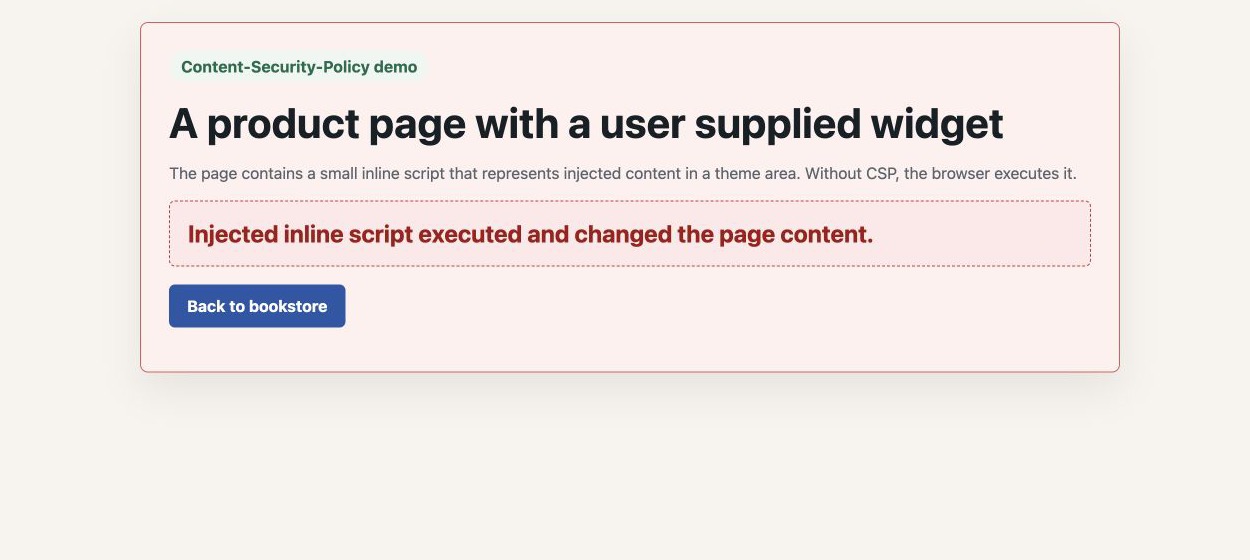
After applying a CSP that allowed scripts only from the same origin and removed inline script execution, the same page loaded but the injected inline script did not change the status box.
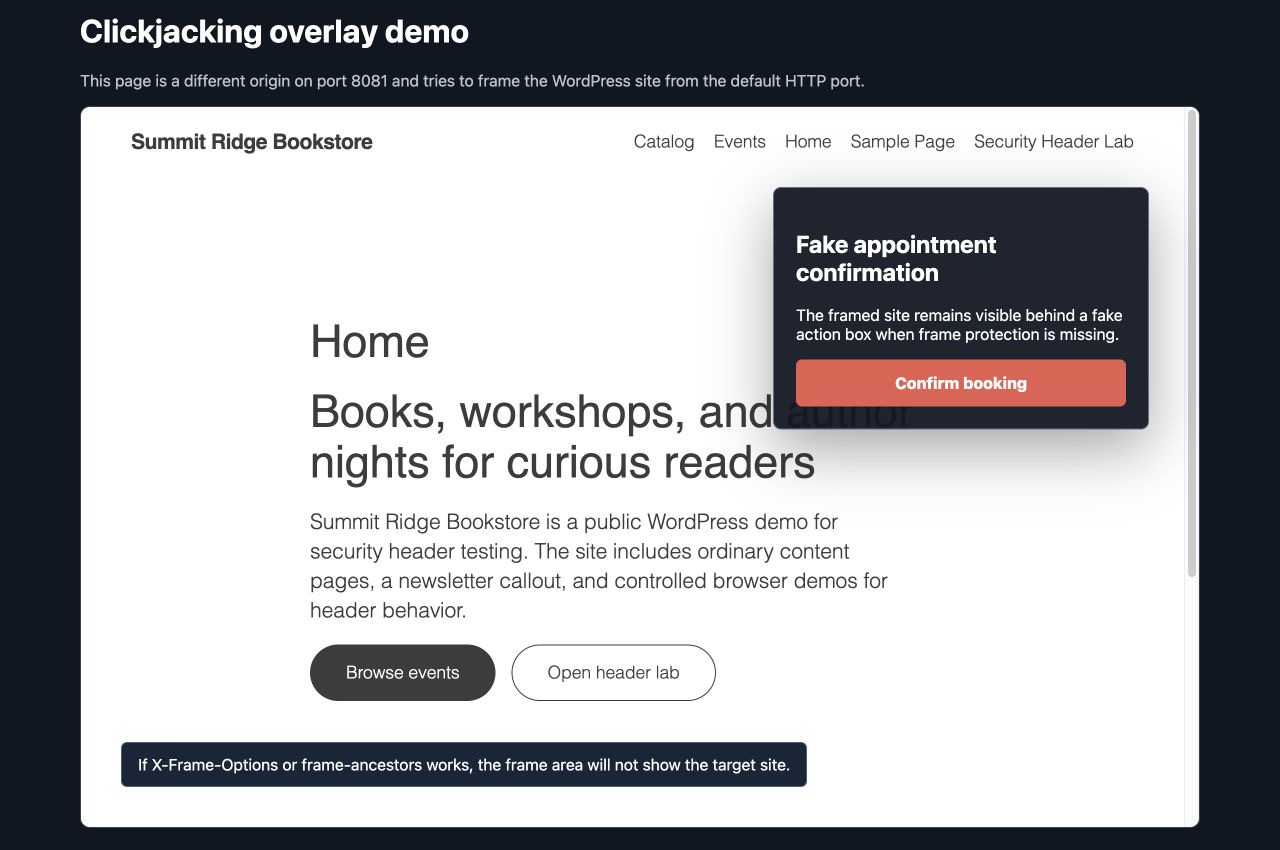
Example 2. Missing frame protection allows a clickjacking overlay
The second demo used a different origin on another port. It framed the WordPress page and placed a fake appointment confirmation panel above it. The real WordPress page remained visible behind the overlay when frame protection was missing.
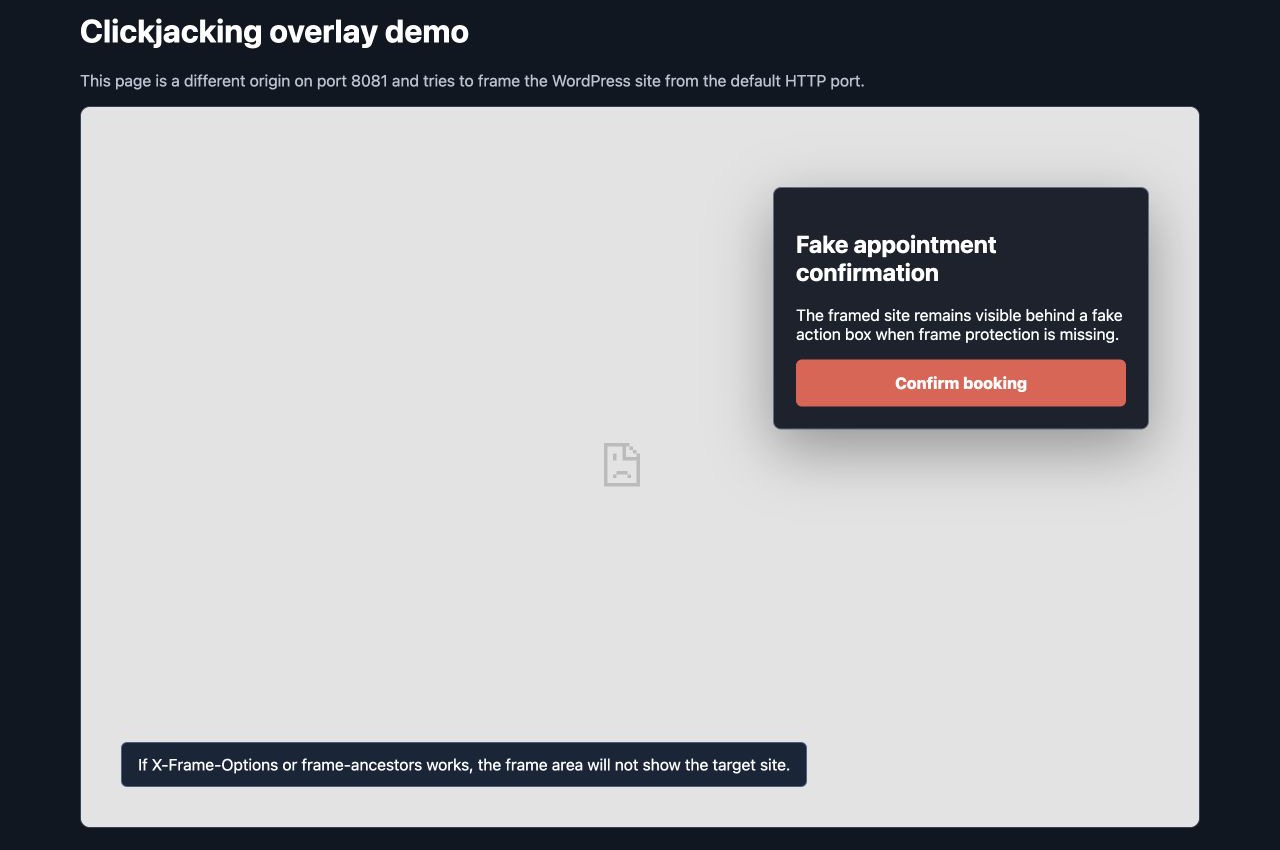
After adding X-Frame-Options: SAMEORIGIN and frame-ancestors 'self', the target site no longer rendered inside that external frame. The fake overlay remained, but the real WordPress page disappeared from the frame.
Example 3. Missing nosniff allows a mislabelled script to run
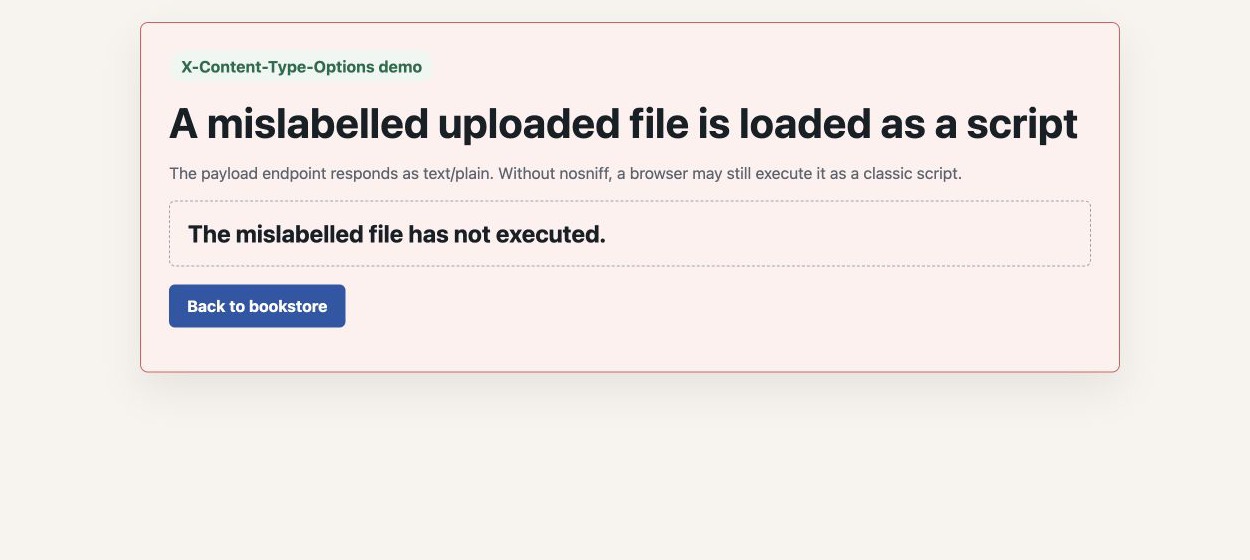
The third demo loaded a payload endpoint as a script even though the endpoint responded with text/plain. With no nosniff header, Chrome executed the response as a classic script and changed the page status.
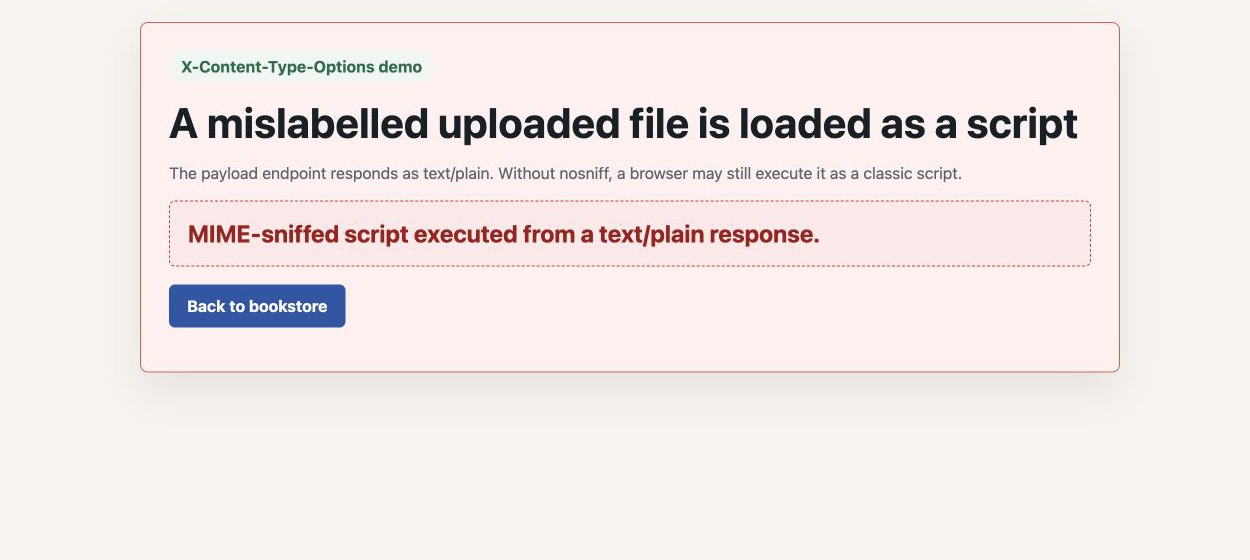
After adding X-Content-Type-Options: nosniff, the same mislabelled response did not execute as script. The page kept its original status text.
After Remediation in CleanTalk Scanner
The second CleanTalk scan used the same public WordPress URL after headers were added. The Security headers block changed from missing to present for all four checked headers. The scan ID was 6593354293598d13765a0422dcb19a19.
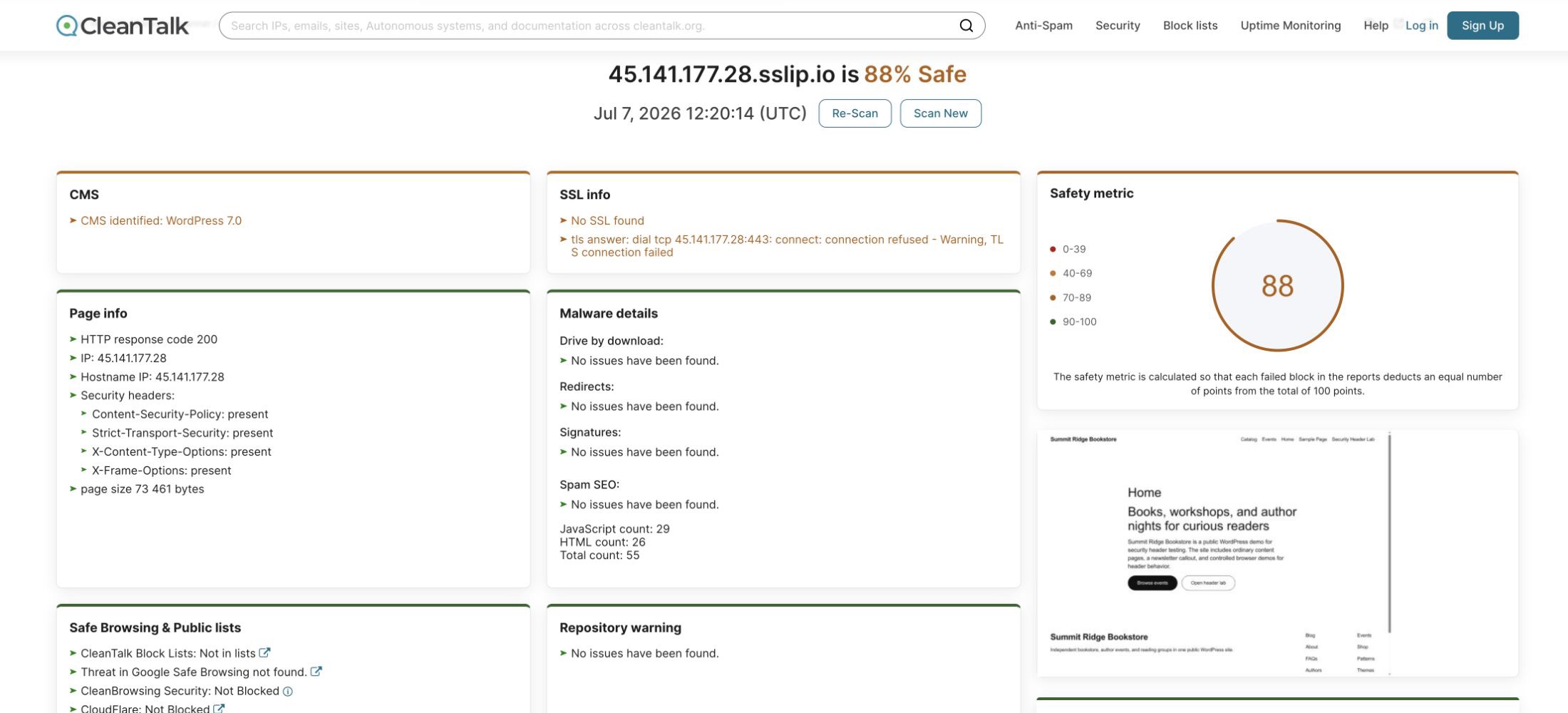
The safety metric stayed at 88% Safe because the lab still had a separate SSL warning. That is an important detail. Security headers and HTTPS are related, but they are different remediation tasks. A production WordPress site should address both.
WordPress Header Examples
The best place to set these headers is usually the web server or edge proxy. A WordPress plugin or theme can add some headers, but server-level policy is more consistent for cached pages, static files, uploads, and error responses.
Apache example for .htaccess or vhost config
<IfModule mod_headers.c>
Header always set Content-Security-Policy "default-src 'self'; script-src 'self' 'nonce-{generated-per-request}'; style-src 'self' 'unsafe-inline'; img-src 'self' data: https:; font-src 'self' data:; frame-ancestors 'self'; object-src 'none'; base-uri 'self'; form-action 'self'; upgrade-insecure-requests"
Header always set Strict-Transport-Security "max-age=31536000; includeSubDomains" "expr=%{HTTPS} == 'on'"
Header always set X-Content-Type-Options "nosniff"
Header always set X-Frame-Options "SAMEORIGIN"
</IfModule>
Nginx example for the server block
add_header Content-Security-Policy "default-src 'self'; script-src 'self' 'nonce-$request_id'; style-src 'self' 'unsafe-inline'; img-src 'self' data: https:; font-src 'self' data:; frame-ancestors 'self'; object-src 'none'; base-uri 'self'; form-action 'self'; upgrade-insecure-requests" always;
add_header Strict-Transport-Security "max-age=31536000; includeSubDomains" always;
add_header X-Content-Type-Options "nosniff" always;
add_header X-Frame-Options "SAMEORIGIN" always;
WordPress fallback for theme or small mu-plugin
add_action('send_headers', function () {
    header("X-Content-Type-Options: nosniff");
    header("X-Frame-Options: SAMEORIGIN");

    if (is_ssl()) {
        header("Strict-Transport-Security: max-age=31536000; includeSubDomains");
    }
});
CSP should be tuned on staging first. WordPress themes, block editor output, analytics, maps, payment widgets, and support chat tools often need explicit allow rules. A Content-Security-Policy-Report-Only rollout can show violations before enforcement blocks production assets.
Operational Takeaways
Run a public scan before and after header changes. Save the scan IDs. Confirm that the Security headers block changed, then separately address SSL, malware, repository, and external link warnings that remain.
For WordPress, prefer server-level headers, validate CSP in report-only mode, keep nosniff and frame protection enabled for all public responses, and turn on HSTS only after HTTPS is stable across the full domain.
FAQ
Does a missing security header mean the WordPress site is infected?
No. A missing header means the browser did not receive a specific defensive policy. It is a hardening issue, not automatic proof of malware.
Should CSP be copied from another site?
No. CSP must match the site assets. Start with a restrictive baseline, test on staging, add only required sources, and use report-only mode before enforcement on complex WordPress sites.
Is X-Frame-Options still useful when CSP has frame-ancestors?
Yes. frame-ancestors is the modern control, but X-Frame-Options still helps with older clients and is easy to add as a compatibility layer.
Why did the scanner still show an SSL warning after headers were added?
The lab used plain HTTP for the controlled scan. The headers moved to present, but the SSL block still warned that TLS was not available. A production site should add a valid certificate and then enable HSTS over HTTPS.